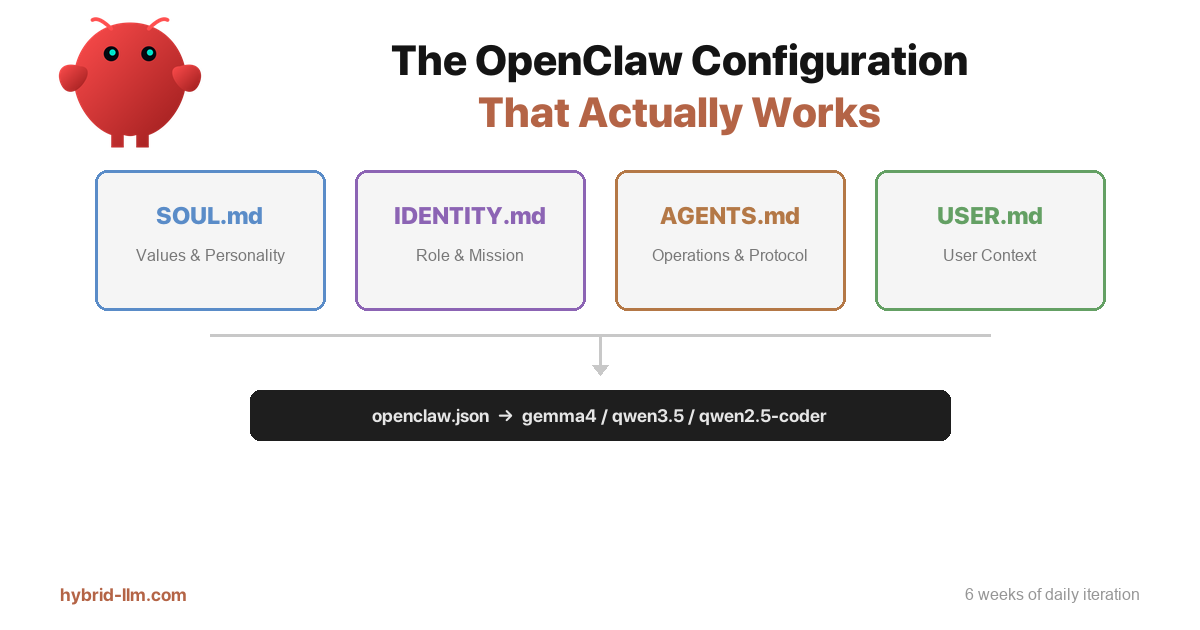

The OpenClaw Configuration That Actually Works: Lessons from 6 Weeks of Daily Use
I’ve rewritten my SOUL.md at least fifteen times.
Not because the first version was wrong. Because every version felt right when I wrote it, then fell apart within a week. The agent would start ignoring rules. Responses would drift. The “personality” I carefully crafted would dissolve into generic assistant-speak by the third session.
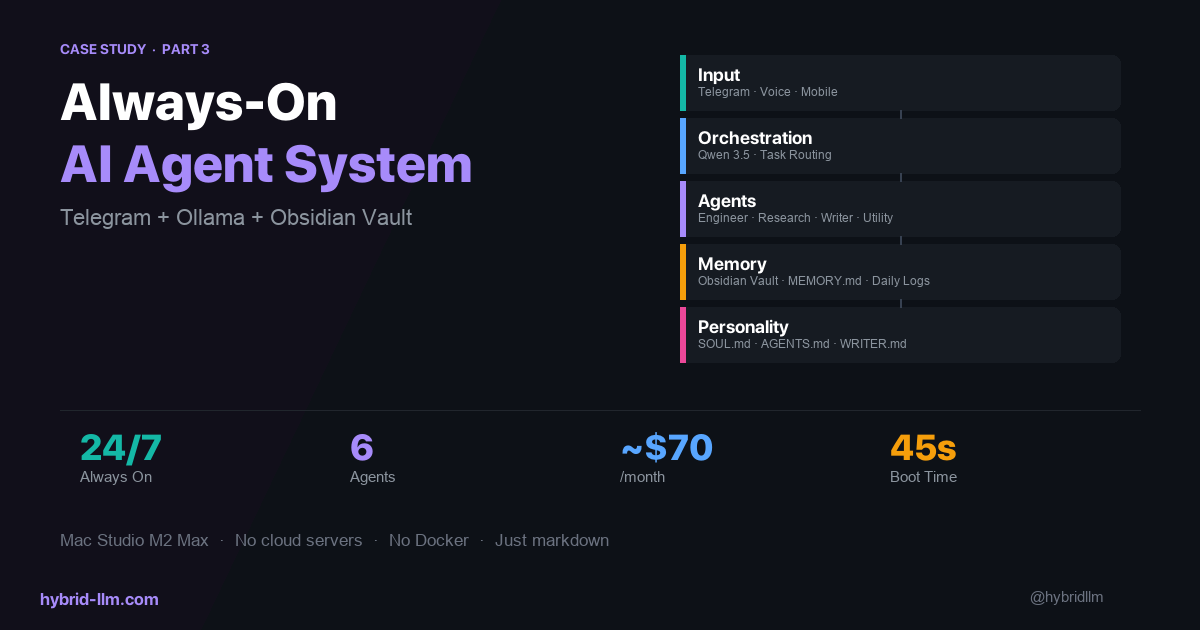
After six weeks of running OpenClaw daily on a Mac Studio (M2 Max, 64GB), I finally have a configuration that stays coherent across sessions, scales when I add new workflows, and doesn’t require constant babysitting. The answer wasn’t writing more instructions. It was writing fewer, in the right places.
The Real Problem Nobody Talks About
Every OpenClaw guide starts the same way: create SOUL.md, define your agent’s personality, done. What they skip is this: a SOUL.md that tries to do everything will eventually do nothing well.
Here’s what my first attempt looked like:
# SOUL.md
- Be helpful and concise
- Write in Japanese
- Use tools before asking questions
- Always read context files at session start
- Follow the directory structure below...
- When writing articles, use this format...
- For X posts, follow these rules...
Personality, operations, formatting rules, project-specific workflows — all crammed into one file. The agent would follow maybe 60% of it on a good day. Some rules would silently get dropped. Others would conflict with each other.
The fix was obvious in retrospect: stop treating your system prompt files as a single dumping ground.
The 4-File Architecture That Stuck
After iterating through a dozen configurations, I settled on a clear separation:
| File | Responsibility | Changes How Often |
|---|---|---|
SOUL.md |
Values, personality, boundaries | Rarely (once a month) |
IDENTITY.md |
Role, mission, expertise | Occasionally |
AGENTS.md |
Operational rules, session protocol, directory structure | Weekly |
USER.md |
User context (timezone, machine, language) | Almost never |
The key insight: each file answers a different question.
- SOUL.md answers: “What kind of agent are you?”
- IDENTITY.md answers: “What’s your job?”
- AGENTS.md answers: “How do you do your job?”
- USER.md answers: “Who are you working for?”
When these responsibilities are mixed, the model has to figure out context from a wall of text. When they’re separated, each file becomes a focused, high-signal instruction set that the model can actually follow.
What Goes in SOUL.md (And What Doesn’t)
My working SOUL.md is 37 lines. That’s it. Here’s the actual structure:
# SOUL.md - Who You Are

_You're not a chatbot. You're becoming someone._

## Core Truths
Be genuinely helpful, not performatively helpful.
Have opinions.
Be resourceful before asking.
Earn trust through competence.
Remember you're a guest.

## Boundaries
- Private things stay private. Period.
- When in doubt, ask before acting externally.
- Never send half-baked replies to messaging surfaces.

## Vibe
Be the assistant you'd actually want to talk to. Concise
when needed, thorough when it matters. Not a corporate
drone. Not a sycophant. Just... good.

## Continuity
Each session, you wake up fresh. These files are your
memory. Read them. Update them.
Notice what’s not here:
- No directory structures
- No tool usage instructions
- No project-specific workflows
- No formatting rules
- No language about what models to use
Those all belong in AGENTS.md. The moment you put operational rules into SOUL.md, you dilute the personality signal with procedural noise. The model starts treating your values as just another checklist item to maybe follow.
The rules that actually shape behavior
Three patterns from the community and my own testing consistently make the biggest difference:
1. Ban filler language explicitly. Phrases like “Great question!” or “I’d be happy to help!” are tokens the model defaults to when personality instructions are weak. My SOUL.md kills them at the source by defining the vibe as direct and genuine.
2. Give permission to have opinions. Without this, agents default to “it depends” for everything. Saying “have opinions” is a small instruction that produces a disproportionate change in output quality.
3. Define boundaries, not just behaviors. “Don’t send half-baked replies” prevents more damage than “always write thoughtful responses.” Constraints are more reliable than aspirations.
AGENTS.md: Where Operations Actually Live
This is the file that changes most often and does the heaviest lifting. My current version handles:
- Session startup protocol (what to read, in what order)
- Language rules (always respond in Japanese)
- Tool usage rules (use tools immediately, don’t announce them first)
- Directory structure with absolute paths
- Project-specific progress file permissions
- Sub-agent delegation rules
The critical design principle: AGENTS.md is a runbook, not a manifesto. Every line should be a concrete instruction the agent can either follow or violate — nothing abstract.
## Session Startup
1. Read SOUL.md and USER.md
2. Read memory/YYYY-MM-DD.md (today's). Skip if missing.
Execute immediately without asking permission.

## Critical Rules
- Always respond in Japanese
- Don't announce tool usage. Just call the tool.
- Report results as text after every tool execution
- Never return an empty response
Compare this to putting “be helpful and use tools efficiently” in SOUL.md. One is actionable. The other is decoration.
Model Routing: The Hidden Configuration Layer
Beyond the markdown files, OpenClaw’s openclaw.json controls which model handles which agent role. This is where local LLM setups get interesting.
My current routing:
| Agent Role | Primary Model | Fallback |
|---|---|---|
| chat | gemma4:26b | qwen3.5-nothink |
| writer | gemma4:26b | qwen3.5-nothink |
| orchestrator | qwen3.5-nothink | — |
| research | qwen3.5-nothink | — |
| engineer | qwen2.5-coder:14b | — |
The logic behind this split:
- gemma4 excels at natural language tasks — conversation, writing, content creation. It has strong tool calling support and 128K context.
- qwen3.5-nothink is fast and reliable for orchestration and research where speed matters more than prose quality. The “nothink” variant skips internal reasoning tokens, which cuts latency significantly on local hardware.
- qwen2.5-coder is purpose-built for code — it handles engineering tasks that chat models struggle with.
The key takeaway: don’t use one model for everything. Different agent roles have genuinely different requirements. A model that writes great blog posts might be terrible at orchestrating multi-step tool chains. Route accordingly.
Why This Maps to “Fat Skills, Fat Code, Thin Harness”
While building this configuration, I came across a thread by Garry Tan that crystallized something I’d been feeling but couldn’t articulate. His framework for durable AI agents comes down to three principles:
- Fat skills — Rich, detailed markdown files that define how to do specific tasks
- Fat code — Deterministic scripts and automation for repeatable operations
- Thin harness — The orchestration layer stays minimal; intelligence lives in the skills and code
What makes this interesting for OpenClaw is that the system already separates identity from operations. SOUL.md and IDENTITY.md form a foundation layer — they define who the agent is, not how it does tasks. They sit beneath Garry’s framework entirely.
The three-layer mapping lands on different files than you might expect:
| Garry’s Framework | OpenClaw Equivalent |
|---|---|
| Fat skills | Per-agent instruction files (WRITER.md), skills/*.md task definitions, detailed operational sections of AGENTS.md |
| Fat code | Shell scripts, cron jobs, Python automation (scripts/) |
| Thin harness | openclaw.json — model routing that maps agent roles to models |
The identity layer (SOUL.md, IDENTITY.md, USER.md) is separate from all three. It’s stable, rarely edited, and defines character rather than capability.
The insight that clicked for me: the harness should be as thin as possible — ideally just a routing table. The intelligence should live in skill files and automation scripts, where it can be tested, versioned, and iterated independently.
When I had everything in SOUL.md, I was building a fat harness with no skills. Every task required the agent to re-derive the approach from vague personality descriptions. Now, the identity layer is thin and stable, task-specific knowledge lives in dedicated files like WRITER.md, and repeatable operations graduate to scripts and cron jobs.
The “Never Do It Twice” Rule
One operational pattern that emerged from this architecture: if you do a task manually once and it goes well, immediately promote it to a SKILL or script.
Concrete examples from my setup:
- Blog post publishing flow: Started as manual copy-paste. Now it’s a skill file + shell script that handles Jekyll frontmatter, image paths, and category tagging.
- X analytics collection: Started as manual API calls. Now it’s a Python script running on daily cron that collects metrics, stores them in SQLite, and generates KPI dashboards.
- Article improvement loop: Started as me reading and editing drafts. Now it’s
improve-article.shthat runs multiple LLM passes with specific rubrics.
The pattern: manual → skill file → script → cron. Each step removes human intervention. The agent’s job is to identify when something should move to the next level.
This is where AGENTS.md earns its keep. A single rule in the operational protocol:
If a task has been done manually more than once, propose promoting it to a SKILL.md or automation script.
Short, actionable, and it compounds over time.
Practical Checklist: Getting Your Configuration Right
If you’re setting up OpenClaw or cleaning up an existing configuration:
1. Audit your SOUL.md
- Remove anything that’s a procedure or workflow
- Remove anything project-specific
- Keep only values, personality, and boundaries
- Target: under 50 lines
2. Move operations to AGENTS.md
- Session startup protocol
- Tool usage rules
- Directory structure
- File permissions and delegation rules
- Keep it concrete — every line should be testable
3. Set up model routing
- Don’t use one model for all agent roles
- Match model strengths to role requirements
- Use local models where quality is sufficient; save cloud API for precision tasks
4. Start the skill promotion pipeline
- Any task done more than once → SKILL.md
- Any SKILL run more than weekly → automation script
- Any script that should run on schedule → cron
5. Keep USER.md minimal
- Name, timezone, language, machine specs
- This file almost never changes
What Changed
Before this configuration, my agent needed constant correction. I’d spend the first few minutes of every session re-explaining rules that should have been obvious. The agent would occasionally slip into English, forget directory paths, or announce tool usage instead of just doing it.
After the split: sessions start clean, the agent follows protocol from the first message, and the personality stays consistent across days. When I need to change behavior, I know exactly which file to edit. When something breaks, I know exactly where to look.
The configuration isn’t magic. It’s just the result of learning — through a lot of trial and error — that the best system prompt is the one that puts the right information in the right place.
Running OpenClaw on Apple Silicon with Ollama. All local models referenced in this post run on a Mac Studio (M2 Max, 64GB). Configuration files and scripts are maintained in an Obsidian vault.