
OpenClaw Auto-Reload: The Complete 6-Step Workspace Guide
Published: 2026-04-10 Audience: OpenClaw users running a local setup who struggle with workspace hygiene Time required: 30–40 minutes Environment: macOS Ventura+ / OpenClaw 2026.4.x / Ollama
Introduction
This guide walks you through cleaning up your OpenClaw workspace and wiring up automatic gateway reloads whenever you edit system files like AGENTS.md. After this setup, you will never type launchctl kickstart by hand again.
If you swap models often, your working directory fills up with stale .md files, and OpenClaw’s “boot-time bootstrap” and “file cache” behaviors become painful to debug. This guide targets the three specific traps that cause that pain.
What you will get by the end:
- Root-level
.mdfiles trimmed down to a clean set of 6 - English template auto-regeneration neutralized for good
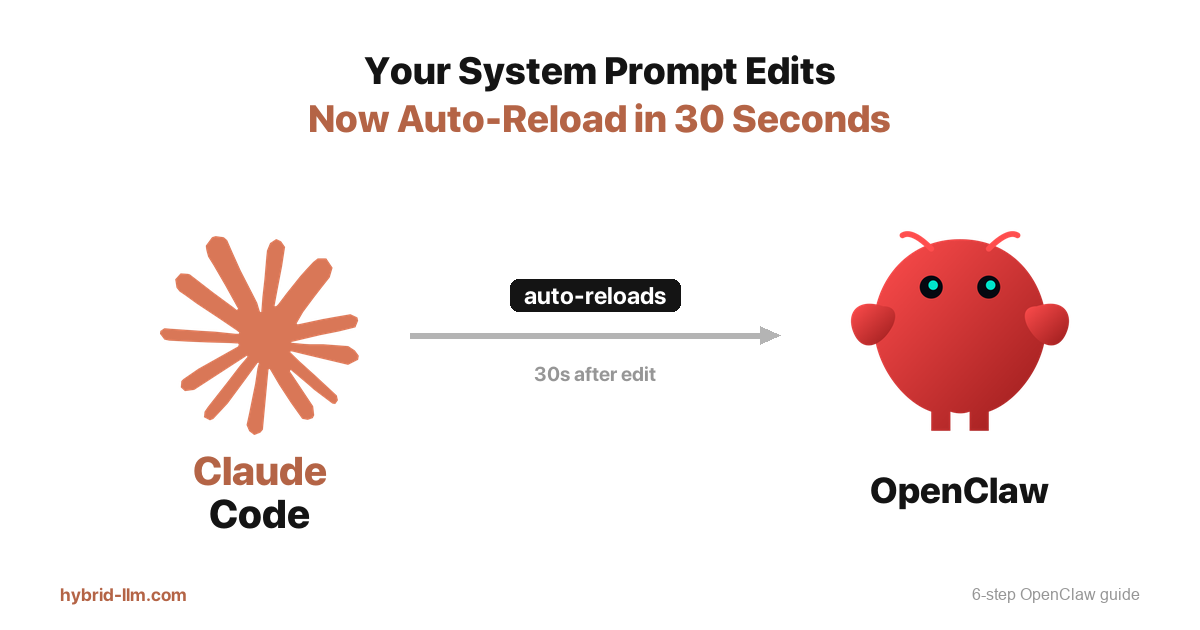
- Both gateways auto-restart within 30 seconds of any edit
- Zero manual commands needed for system prompt updates
Prerequisites & Tech Stack
| Item | Details |
|---|---|
| OS | macOS Ventura or later |
| OpenClaw | 2026.4.1 |
| Ollama | Latest |
| Shell | bash / zsh |
| Permissions | Write access to your home directory |
| Background knowledge | Basic command line (ls, mv) |
| Extra installs | None (launchd ships with macOS) |
The target directory throughout this guide is ~/openclaw-vault/.
Problem Statement
After a few weeks of running OpenClaw, three problems tend to surface at the same time.
Problem 1: Root directory file sprawl
Every model swap and config change leaves behind more .md files. The line between system files and your own notes disappears, and you lose track of what each file is actually for.
Problem 2: Bootstrap files that regenerate themselves
OpenClaw treats IDENTITY.md, TOOLS.md, and HEARTBEAT.md as required files at boot. If any of them are missing, OpenClaw silently rewrites them using the English default template. Even moving them to archive/ only buys you about 4 minutes before they come back.
Problem 3: Gateway file cache staleness
OpenClaw’s gateway takes a snapshot of your bootstrap files when it starts up. After that, it never checks the disk again and keeps handing stale content to your agents.
Step 1: Audit Current Root Files
Start by measuring the mess.
ls ~/openclaw-vault/ | grep '\.md$' | wc -l
How to read the output:
- Output is
6→ Already clean. Skip to Step 3. - Output is
7or higher → You have cleanup to do. Continue to Step 2.
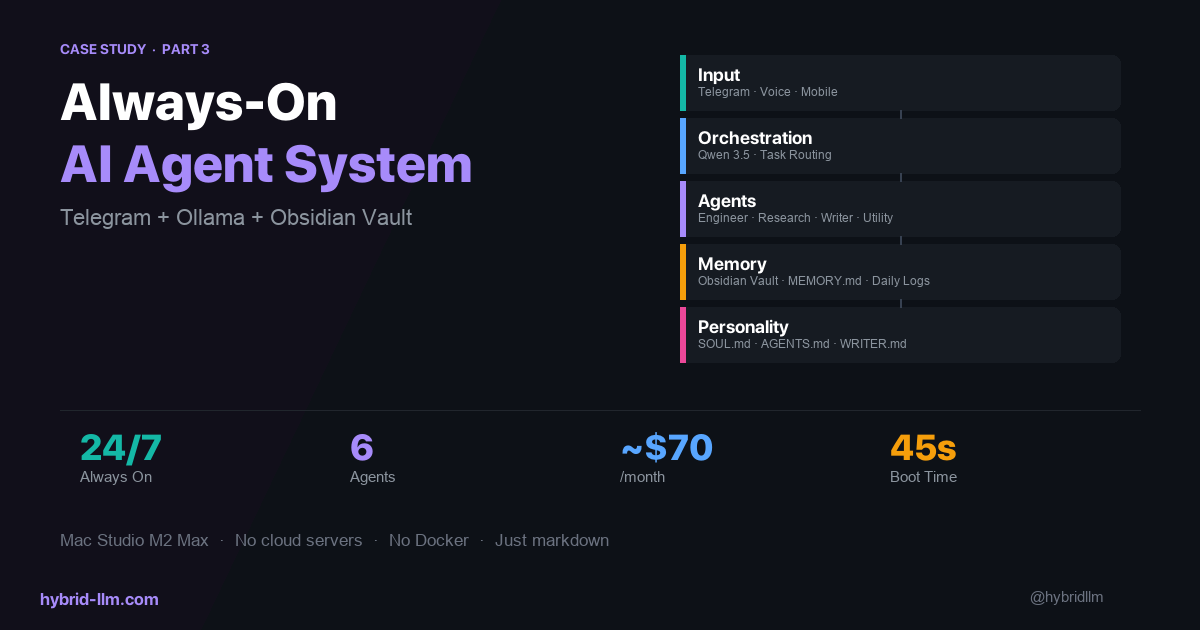
OpenClaw only genuinely needs these six .md files at the root level.
| File | Purpose |
|---|---|
AGENTS.md |
Shared system prompt for all agents |
SOUL.md |
Agent persona and values |
USER.md |
User profile |
MEMORY.md |
Long-term memory |
WRITER.md |
Extra instructions for the writer agent |
inbox.md |
Voice input queue |
Anything else at the root is a candidate for cleanup.
Step 2: Archive Unused Files
Move the dead weight into an archive/ folder.
mkdir -p ~/openclaw-vault/archive
mv ~/openclaw-vault/system-prompt-openclaude.md ~/openclaw-vault/archive/
# Move any other unused files the same way
Important caveat: These three files will regenerate within 4 minutes no matter where you move them.
IDENTITY.mdTOOLS.mdHEARTBEAT.md
They are hardcoded in OpenClaw’s bootstrap list. We handle them differently in the next step.
Step 3: Neutralize Auto-Regenerated Files
Instead of fighting the regeneration, overwrite each file with minimal content to disarm it. The files will still exist, so OpenClaw’s boot-time check passes and the English template never gets written back.
IDENTITY.md:
# IDENTITY.md

- **Name:** Openclaw
- **Vibe:** Concise, execution-first, bilingual
- **Emoji:** 🦞
TOOLS.md:
# TOOLS.md

- **Ollama:** http://127.0.0.1:11434
- **Telegram:** @your_bot_name
- **Gateway:** ~/.npm-global/bin/openclaw (port 18789)
HEARTBEAT.md:
# HEARTBEAT.md

<!-- Empty by design: skips periodic heartbeat API calls. -->
All three files combined come in under 260 bytes. Because the files already exist at boot time, OpenClaw skips the template write-back entirely.
Step 4: Diagnose Gateway Cache
Next, confirm whether your gateway is serving stale content. OpenClaw ships a diagnostic payload called systemPromptReport alongside every response.
openclaw agent --agent chat --json --message "test" 2>/dev/null \
  | python3 -c "
import json, sys, re
data = sys.stdin.read()
m = re.search(r'\{.*\}', data, re.S)
d = json.loads(m.group())
for f in d['result']['meta']['systemPromptReport']['injectedWorkspaceFiles']:
    print(f\"{f['name']:<15} rawChars={f['rawChars']}\")"
How to interpret:
rawCharsmatches the diskwc -m→ Cache is fresh. You are done.rawCharsdoes not match → Gateway is holding a stale snapshot. Continue to Step 5.
Check the actual file size on disk:
wc -m ~/openclaw-vault/AGENTS.md
Step 5: Restart Both Gateway LaunchAgents
Most setups have two OpenClaw gateways registered at once.
com.openclaw.gatewayai.openclaw.gateway
Which one holds port 18789 changes over time, so always restart both to be safe.
UID_NUM=$(id -u)
launchctl kickstart -k gui/$UID_NUM/com.openclaw.gateway
launchctl kickstart -k gui/$UID_NUM/ai.openclaw.gateway
Verify:
lsof -iTCP:18789 -sTCP:LISTEN
A new PID means the restart worked. Rerun the Step 4 diagnostic to confirm rawChars now matches your disk files.
Step 6: Automate with launchd WatchPaths
This is where you say goodbye to manual restarts forever. We will use launchd’s WatchPaths feature to trigger an automatic kickstart whenever any bootstrap file changes.
Create the file: ~/Library/LaunchAgents/com.openclaw.watch-bootstrap.plist
<?xml version="1.0" encoding="UTF-8"?>
<!DOCTYPE plist PUBLIC "-//Apple//DTD PLIST 1.0//EN"
  "http://www.apple.com/DTDs/PropertyList-1.0.dtd">
<plist version="1.0">
<dict>
    <key>Label</key>
    <string>com.openclaw.watch-bootstrap</string>

    <key>ProgramArguments</key>
    <array>
        <string>/bin/bash</string>
        <string>-c</string>
        <string>launchctl kickstart -k gui/501/com.openclaw.gateway; launchctl kickstart -k gui/501/ai.openclaw.gateway</string>
    </array>

    <key>WatchPaths</key>
    <array>
        <string>/Users/YOUR_NAME/openclaw-vault/AGENTS.md</string>
        <string>/Users/YOUR_NAME/openclaw-vault/SOUL.md</string>
        <string>/Users/YOUR_NAME/openclaw-vault/USER.md</string>
        <string>/Users/YOUR_NAME/openclaw-vault/MEMORY.md</string>
        <string>/Users/YOUR_NAME/openclaw-vault/WRITER.md</string>
        <string>/Users/YOUR_NAME/openclaw-vault/IDENTITY.md</string>
        <string>/Users/YOUR_NAME/openclaw-vault/TOOLS.md</string>
        <string>/Users/YOUR_NAME/openclaw-vault/HEARTBEAT.md</string>
    </array>

    <key>ThrottleInterval</key>
    <integer>30</integer>

    <key>RunAtLoad</key>
    <false/>
</dict>
</plist>
Values to replace:
501→ the output ofid -uYOUR_NAME→ your home directory name
Lint and load:
plutil -lint ~/Library/LaunchAgents/com.openclaw.watch-bootstrap.plist
launchctl bootstrap gui/$(id -u) ~/Library/LaunchAgents/com.openclaw.watch-bootstrap.plist
launchctl list | grep watch-bootstrap
Expected output:
- 0 com.openclaw.watch-bootstrap
The - under PID is correct. It means the agent is idle and watching.
Verification: End-to-End Test
Let’s prove the whole pipeline actually works.
1. Append a unique marker:
MARKER="TEST_$(date +%s)"
echo "<!-- $MARKER -->" >> ~/openclaw-vault/AGENTS.md
2. Wait 35 seconds (throttle interval + reload):
sleep 35
3. Ask the agent to confirm:
openclaw agent --agent chat \
  --message "Does AGENTS.md contain the string '$MARKER'? Answer yes or no."
Results:
- Response is
yes→ The entire pipeline works. Celebrate. - Response is
no→ Jump to Troubleshooting below.
4. Clean up the marker:
sed -i.bak "/<!-- $MARKER -->/d" ~/openclaw-vault/AGENTS.md
rm ~/openclaw-vault/AGENTS.md.bak
Troubleshooting
Symptom 1: rawChars does not update
Cause: Only one of the two gateways was restarted.
Fix: Use lsof -iTCP:18789 to find the live PID, then ps -p <PID> -o ppid= to find its parent, and kickstart both gateways.
Symptom 2: The LaunchAgent never fires
Cause: A typo in one of the WatchPaths or a syntax error in the plist.
Fix: Run plutil -lint to validate, then check /tmp/openclaw_bootstrap_reload.log for the last trigger time.
Symptom 3: Regenerated files revert to the English template
Cause: OpenClaw booted before your Step 3 overwrites landed. Fix: Rewrite the files, then run Step 5 to kickstart both gateways.
Recap
Here is what this guide changed.
| Area | Before | After |
|---|---|---|
Root .md files |
Cluttered (10+) | Clean (6 + 3 neutralized) |
| Auto-regeneration trap | English template injected | Minimal content blocks it |
| Gateway cache | Manual kickstart needed | WatchPaths handles it |
| Edit-to-reload loop | Requires shell commands | Under 30 seconds, hands-off |
Key insights worth remembering:
- For OpenClaw bootstrap files, neutralizing beats deleting
- OpenClaw registers two gateways, so always restart both
launchd WatchPathssolves this with zero external dependencies
Next Steps
- Trim your model lineup: Revisit
coding_scripts/warmup.shand cap resident models withOLLAMA_MAX_LOADED_MODELS - Expand the watchlist: Add
~/.openclaw/openclaw.jsonto WatchPaths so model config changes reload automatically - Pipe the logs: Forward
/tmp/openclaw_bootstrap_reload.logto Telegram or Slack for visibility - Standardize Modelfiles: Align
coding_scripts/Modelfile.*files to a shared project template
Related reading:
- I Let Claude Code Handle Everything I Was Too Scared to Touch — OpenClaw for non-engineers