Building Your Hybrid LLM Stack: Complete Implementation Guide
You’ve read about hybrid LLM architectures. You’ve seen the cost savings. You know the theory.
Now it’s time to build it.
This guide walks you through every step of implementing a production-ready hybrid LLM stack — local models for the bulk of your work, cloud APIs for the tasks that genuinely need them, and a router that makes the decision automatically.
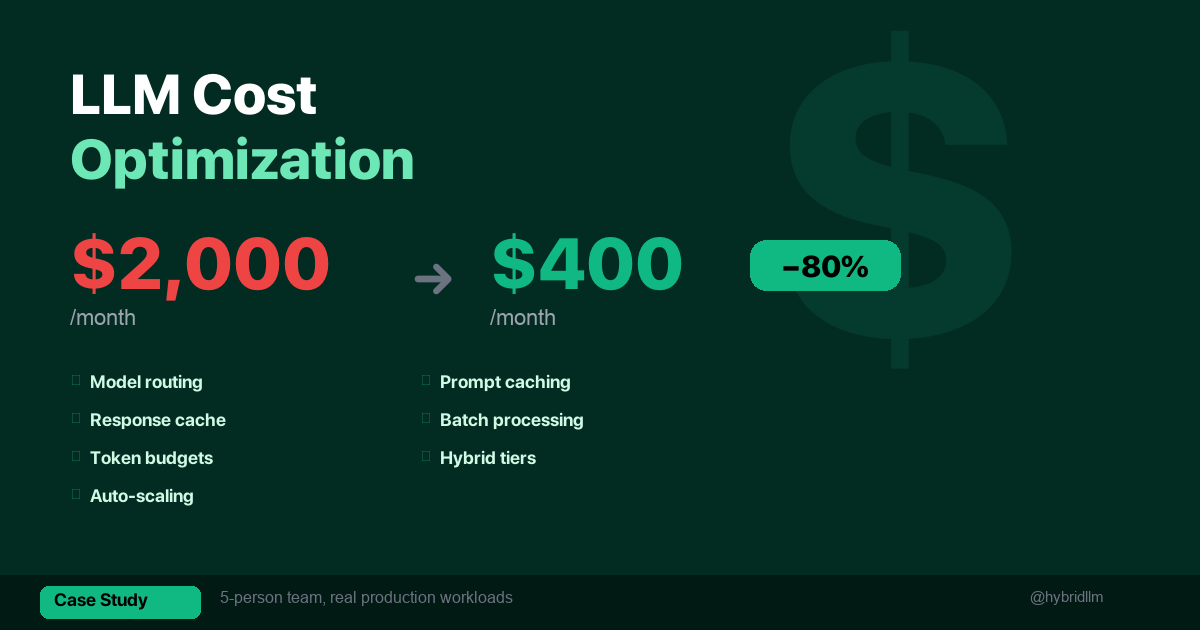
By the end, you’ll have a working system that handles your AI tasks at significantly lower cost than a cloud-only approach. Teams in our tests typically saw 40–70% lower spend once most Tier 1 and Tier 2 tasks went local — though your ratio will vary by workload.
This is “production-ready” for internal tools, dev workflows, and small-team use. For internet-facing SaaS, you’ll still need your usual infrastructure (auth, rate limiting, monitoring) on top of this foundation.
No PhD required. Just a Mac (or Linux box), Python, and about 2 hours.
Key Takeaways
- The full stack has 3 layers: local model backend, cloud API client, and a task router that connects them.
- Ollama is the recommended local backend — always-on daemon, OpenAI-compatible API, zero configuration.
- Start with rules, not ML: a keyword-based router handles 90% of routing decisions correctly.
- Add observability from day one: log every request with tier, model, token count, and latency. This data drives every optimization.
- The whole setup takes ~2 hours and typically pays for itself within the first week for any team spending $200+/month on APIs.
Who This Guide Is For
This guide assumes you:
- Understand the hybrid LLM concept and the local vs cloud decision framework
- Have a Mac with 16GB+ RAM (or Linux with an NVIDIA GPU)
- Are comfortable with Python and command-line tools
- Are a solo developer, small team, or power user looking for a working implementation — not a theoretical overview
If you’re new to local LLMs, start with the Complete Beginner’s Guide first.
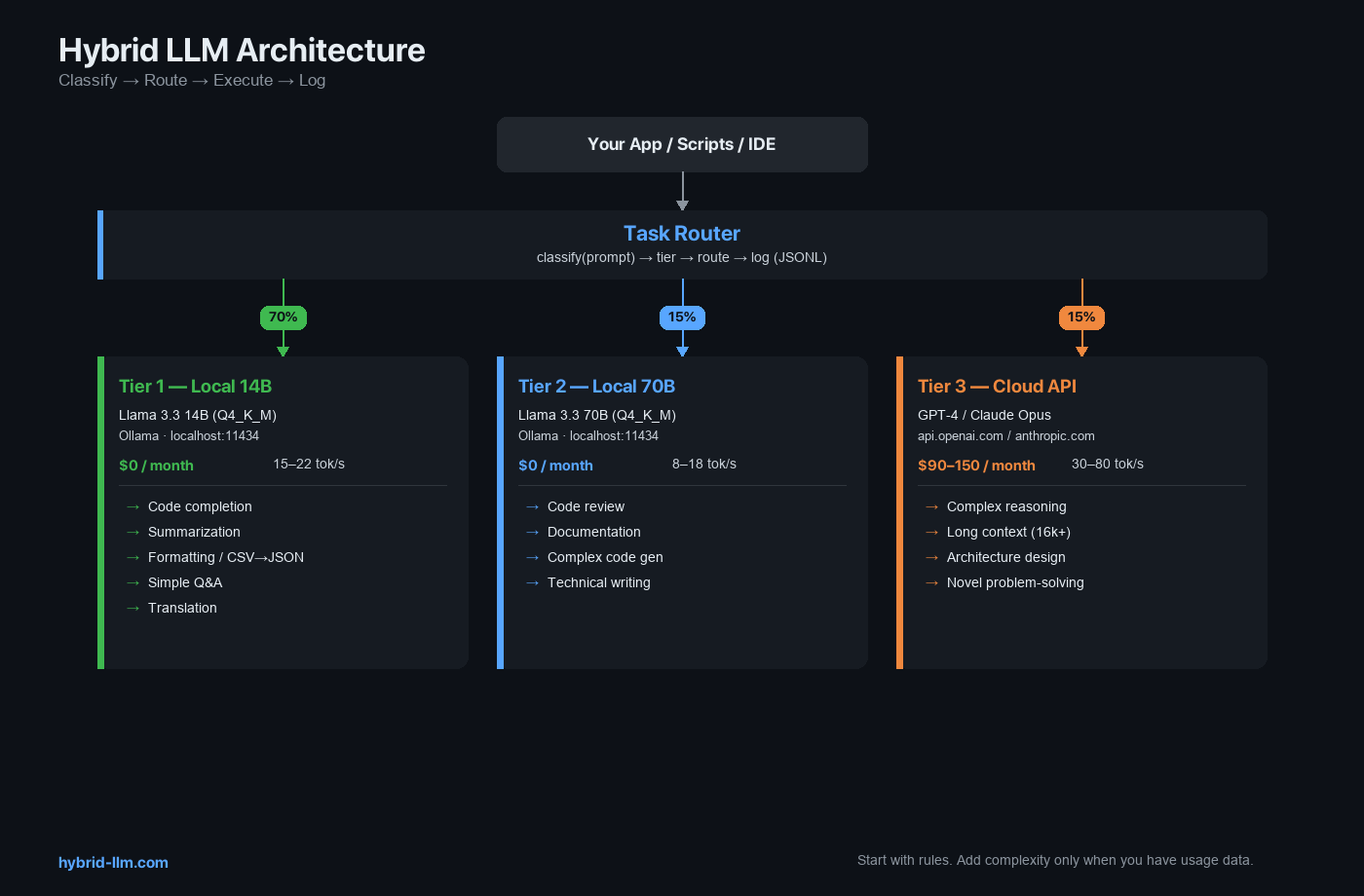
Architecture Overview
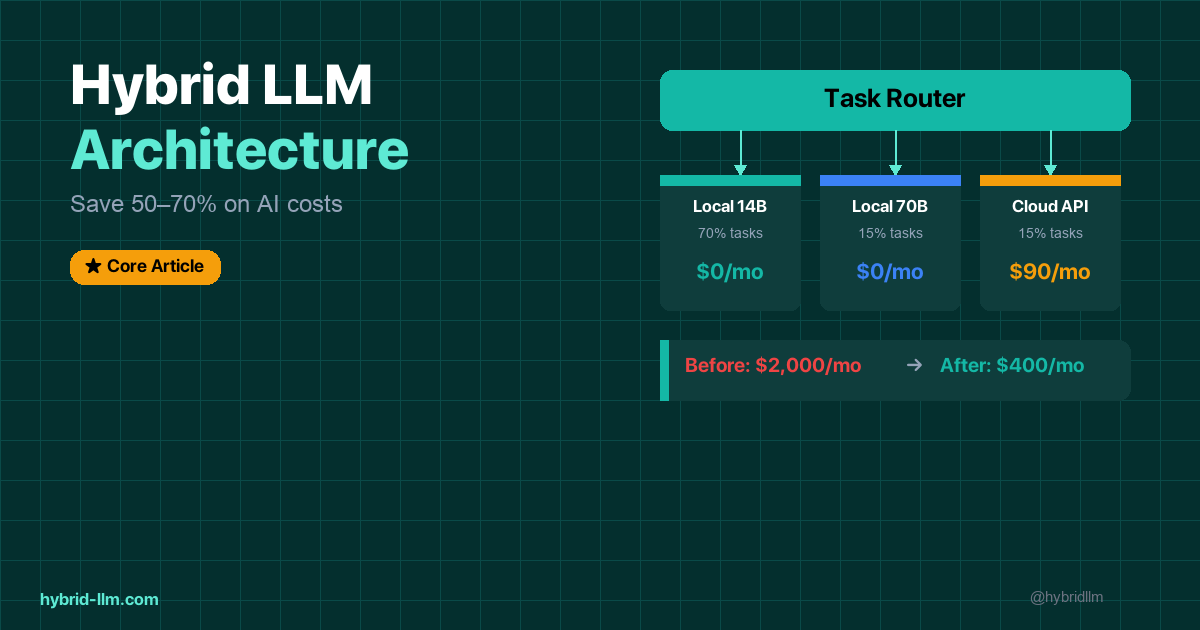
Your Application / Scripts / IDE Extensions
                │
                ▼
        ┌──────────────┐
        │  Task Router  │  ← classifies and routes
        │  (Python)     │
        └──────┬───────┘
               │
    ┌──────────┼──────────┐
    ▼          ▼          ▼
┌────────┐ ┌────────┐ ┌──────────┐
│ Ollama │ │ Ollama │ │ Cloud    │
│ 14B    │ │ 70B    │ │ API      │
│ Tier 1 │ │ Tier 2 │ │ Tier 3   │
│ :11434 │ │ :11434 │ │ external │
└────────┘ └────────┘ └──────────┘
   $0         $0        $0.01-0.06
                        per 1k tokens
Three layers:
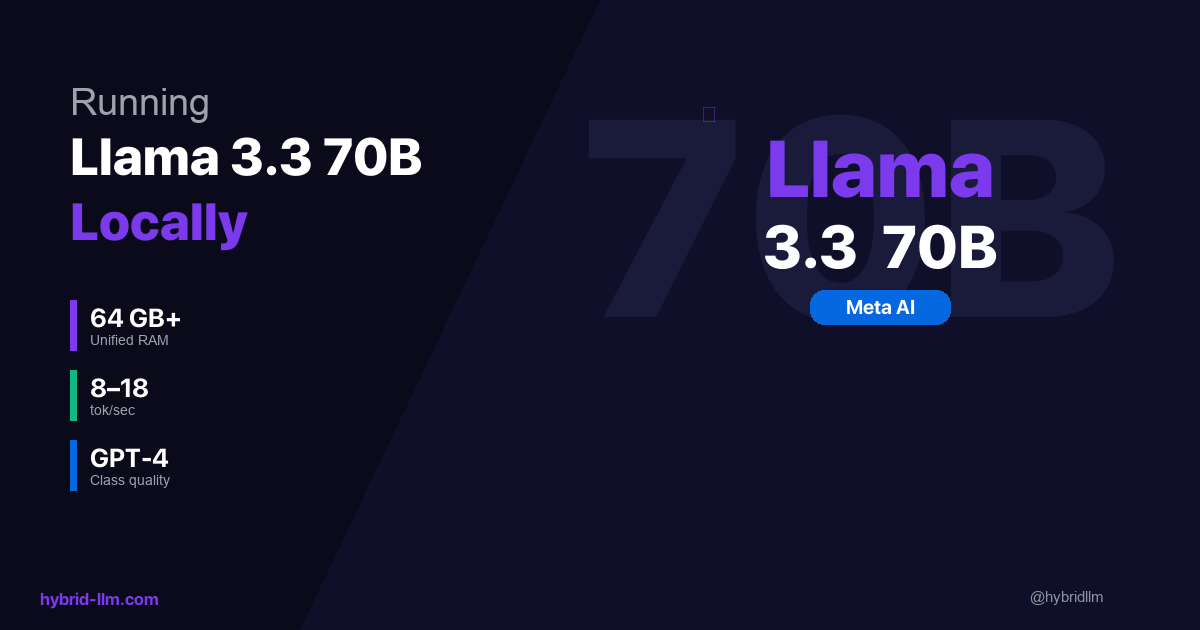
- Local Backend — Ollama running Llama 3.3 14B (always loaded) and optionally 70B
- Cloud Client — OpenAI or Anthropic SDK for Tier 3 tasks
- Task Router — Python module that classifies tasks and routes to the right backend
Step 1: Set Up the Local Backend
Install Ollama
# macOS / Linux
curl -fsSL https://ollama.com/install.sh | sh

# Verify
ollama --version
Pull Your Models
# Tier 1: Always-on, handles 70% of tasks
ollama pull llama3.3:14b

# Tier 2: Heavy model, for complex tasks (requires 64GB+ RAM)
ollama pull llama3.3:70b
If you have 32GB RAM, substitute Qwen 2.5 32B for the Tier 2 slot:
ollama pull qwen2.5:32b
Verify the Local API
Ollama runs an OpenAI-compatible server on port 11434 automatically:
curl http://localhost:11434/v1/chat/completions \
  -H "Content-Type: application/json" \
  -d '{
    "model": "llama3.3:14b",
    "messages": [{"role": "user", "content": "Say hello in one sentence."}]
  }'
You should get a JSON response with a completion. If this works, your local backend is ready.
Keep Ollama Running
Ollama runs as a background daemon. On macOS, it starts automatically on login. Verify with:
ollama ps # shows loaded models
If no models show, run ollama run llama3.3:14b once to warm it up, then exit the chat (Ctrl+D). The model stays loaded in the background.
Step 2: Set Up the Cloud Client
Install Dependencies
pip install openai anthropic python-dotenv
Configure API Keys
Create a .env file in your project root:
# .env — NEVER commit this file
OPENAI_API_KEY=sk-your-openai-key-here
ANTHROPIC_API_KEY=sk-ant-your-anthropic-key-here

# Local backend (no key needed, but explicit is clearer)
LOCAL_BASE_URL=http://localhost:11434/v1
LOCAL_API_KEY=not-needed
Add .env to your .gitignore:
echo ".env" >> .gitignore
Create the Client Module
# clients.py
import os
from openai import OpenAI
from dotenv import load_dotenv

load_dotenv()

# Local models via Ollama (OpenAI-compatible)
local_client = OpenAI(
    base_url=os.getenv("LOCAL_BASE_URL", "http://localhost:11434/v1"),
    api_key=os.getenv("LOCAL_API_KEY", "not-needed"),
)

# Cloud: OpenAI
openai_client = OpenAI(
    api_key=os.getenv("OPENAI_API_KEY"),
)

# Cloud: Anthropic (using their native SDK)
# If you prefer Anthropic, install `anthropic` and use their client instead
# For simplicity, this guide uses OpenAI as the cloud provider
Step 3: Build the Task Router
The router is the brain of the hybrid stack. Start simple — a rule-based classifier that you can evolve over time.
Router Module
# router.py
import time
import json
from datetime import datetime
from clients import local_client, openai_client

# ── Configuration ──────────────────────────────────────────
TIER1_MODEL = "llama3.3:14b"
TIER2_MODEL = "llama3.3:70b"       # or "qwen2.5:32b" for 32GB Macs
TIER3_MODEL = "gpt-4-turbo"

# ── Classification Rules ───────────────────────────────────
TIER1_PATTERNS = [
    "summarize", "translate", "format", "convert", "rewrite",
    "simplify", "expand", "commit message", "regex", "explain this",
    "fix grammar", "bullet points", "json", "csv", "markdown",
]

TIER3_PATTERNS = [
    "analyze in depth", "prove", "compare all options",
    "review this architecture", "design a system",
    "what are the trade-offs", "write a detailed report",
]

TIER3_TOKEN_THRESHOLD = 8000  # prompts longer than this → cloud
# Rough estimate is fine; you can start with character_count / 4 and refine later

def classify(prompt: str, token_estimate: int = 0, tier_override: int = None) -> int:
    """Classify a prompt into Tier 1, 2, or 3."""
    # Explicit override (highest priority)
    if tier_override is not None:
        return tier_override

    prompt_lower = prompt.lower()

    # Prefix-based override
    if prompt_lower.startswith("[cloud]") or prompt_lower.startswith("[tier3]"):
        return 3
    if prompt_lower.startswith("[heavy]") or prompt_lower.startswith("[tier2]"):
        return 2
    if prompt_lower.startswith("[local]") or prompt_lower.startswith("[tier1]"):
        return 1

    # Long context → cloud (local models degrade past 8k)
    if token_estimate > TIER3_TOKEN_THRESHOLD:
        return 3

    # Pattern matching
    for pattern in TIER3_PATTERNS:
        if pattern in prompt_lower:
            return 3

    for pattern in TIER1_PATTERNS:
        if pattern in prompt_lower:
            return 1

    # Default: Tier 1 (local small — bias toward free)
    return 1


def route(prompt: str, token_estimate: int = 0, tier_override: int = None,
          system_prompt: str = None) -> dict:
    """Route a prompt to the appropriate model and return the result."""
    tier = classify(prompt, token_estimate, tier_override)

    model_map = {
        1: (TIER1_MODEL, local_client),
        2: (TIER2_MODEL, local_client),
        3: (TIER3_MODEL, openai_client),
    }
    model, client = model_map[tier]

    messages = []
    if system_prompt:
        messages.append({"role": "system", "content": system_prompt})
    messages.append({"role": "user", "content": prompt})

    start = time.time()
    response = client.chat.completions.create(
        model=model,
        messages=messages,
    )
    elapsed = time.time() - start

    result = {
        "tier": tier,
        "model": model,
        "content": response.choices[0].message.content,
        "tokens_used": response.usage.total_tokens if response.usage else 0,
        "latency_seconds": round(elapsed, 2),
    }

    # Log for analysis
    _log(result)

    return result


def _log(result: dict) -> None:
    """Append each request to a JSONL log for cost/quality analysis."""
    entry = {
        "timestamp": datetime.now().isoformat(),
        "tier": result["tier"],
        "model": result["model"],
        "tokens": result["tokens_used"],
        "latency": result["latency_seconds"],
        # Adjust cost per your actual pricing
        "estimated_cost": (
            0.0 if result["tier"] <= 2
            else result["tokens_used"] * 0.00003  # adjust per your model pricing
        ),
    }
    with open("hybrid_llm_usage.jsonl", "a") as f:
        f.write(json.dumps(entry) + "\n")
Usage Examples
# basic_usage.py
from router import route

# ── Tier 1: Simple tasks (free, fast) ──
result = route("Summarize this in 3 bullet points: ...")
print(result["content"])
print(f"Tier {result['tier']} | {result['model']} | {result['latency_seconds']}s")

# ── Tier 2: Complex tasks (free, slower) ──
result = route("[heavy] Review this code for bugs and suggest improvements: ...")
print(result["content"])

# ── Tier 3: Frontier tasks (paid) ──
result = route("[cloud] Design a microservices architecture for a real-time auction platform")
print(result["content"])

# ── Auto-classified by token count ──
long_document = "..." * 10000
result = route(f"Analyze this document: {long_document}", token_estimate=15000)
# → automatically routed to Tier 3

# ── With system prompt ──
result = route(
    "What are the pros and cons of server-side rendering?",
    system_prompt="You are a senior frontend architect. Be concise."
)
Router Limitations
Before moving on, a few things this router does not handle:
- English prompts only. The keyword patterns in
TIER1_PATTERNSandTIER3_PATTERNSare English strings. For multilingual workloads, you’ll need to extend classification — either with translated patterns or a lightweight ML classifier. - Token estimation is rough. The CLI uses
word_count * 1.3as a proxy. For accurate counts, use a tokenizer liketiktoken(for OpenAI models) or the model’s native tokenizer. For routing decisions, the rough estimate is usually good enough. - 8k+ tokens on local models won’t crash — but quality degrades. Local models can accept longer contexts, but output coherence drops and generation slows significantly. The
TIER3_TOKEN_THRESHOLD = 8000is a practical cutoff, not a hard limit.
These are acceptable trade-offs for a rule-based router. If any of them becomes a bottleneck for your workload, address that specific limitation — don’t over-engineer upfront.
Step 4: Add Fallback Logic
Sometimes a local model produces a bad response. Rather than accepting poor quality, add automatic escalation.
# fallback.py
from router import route

LOW_QUALITY_SIGNALS = [
    "i don't know",
    "i'm not sure",
    "as an ai",
    "i cannot",
]

def route_with_fallback(prompt: str, **kwargs) -> dict:
    """Try local first; escalate to cloud if quality is poor."""
    result = route(prompt, **kwargs)

    # Only consider fallback for Tier 1/2 results
    if result["tier"] >= 3:
        return result

    content = result["content"].lower()

    # Check for low-quality signals
    is_low_quality = (
        len(result["content"].strip()) < 30
        or any(signal in content for signal in LOW_QUALITY_SIGNALS)
    )

    if is_low_quality:
        # Escalate to cloud
        cloud_result = route(prompt, tier_override=3, **kwargs)
        cloud_result["fallback_from_tier"] = result["tier"]
        return cloud_result

    return result
The fallback rate tells you how well your routing is working. Track it in your logs — if it exceeds 15%, your classification rules need tuning.
Step 5: Build a CLI Tool
Wrap the router in a command-line interface for daily use:
#!/usr/bin/env python3
# hybrid_cli.py
"""
Usage:
  echo "Summarize this..." | python hybrid_cli.py
  python hybrid_cli.py --tier 3 "Design a system for..."
  python hybrid_cli.py --file document.txt "Summarize this document"
"""
import argparse
import sys
from fallback import route_with_fallback

def main():
    parser = argparse.ArgumentParser(description="Hybrid LLM CLI")
    parser.add_argument("prompt", nargs="?", default=None, help="The prompt")
    parser.add_argument("--tier", type=int, choices=[1, 2, 3], help="Force a specific tier")
    parser.add_argument("--file", type=str, help="Attach a file's content to the prompt")
    parser.add_argument("--system", type=str, help="System prompt")
    parser.add_argument("--verbose", action="store_true", help="Show routing info")
    args = parser.parse_args()

    # Read prompt from stdin if not provided as argument
    if args.prompt is None:
        if not sys.stdin.isatty():
            args.prompt = sys.stdin.read().strip()
        else:
            print("Error: provide a prompt as argument or via stdin")
            sys.exit(1)

    # Attach file content if specified
    if args.file:
        with open(args.file, "r") as f:
            file_content = f.read()
        args.prompt = f"{args.prompt}\n\n---\n\n{file_content}"

    token_estimate = len(args.prompt.split()) * 1.3  # rough estimate

    result = route_with_fallback(
        args.prompt,
        token_estimate=int(token_estimate),
        tier_override=args.tier,
        system_prompt=args.system,
    )

    if args.verbose:
        tier_label = {1: "Local 14B", 2: "Local 70B", 3: "Cloud"}
        print(f"[Tier {result['tier']}: {tier_label[result['tier']]} | "
              f"{result['model']} | {result['latency_seconds']}s | "
              f"{result['tokens_used']} tokens]", file=sys.stderr)

        if "fallback_from_tier" in result:
            print(f"[Fallback from Tier {result['fallback_from_tier']}]",
                  file=sys.stderr)

    print(result["content"])

if __name__ == "__main__":
    main()
Daily Usage
# Simple task → routed to Tier 1 automatically
echo "Summarize this email: ..." | python hybrid_cli.py

# Force cloud for a hard task
python hybrid_cli.py --tier 3 "Design a caching strategy for a global CDN"

# Summarize a file
python hybrid_cli.py --file meeting_notes.txt "Summarize in 5 bullet points" --verbose

# Pipe from other tools
git diff HEAD~1 | python hybrid_cli.py "Write a commit message for this diff"
Step 6: Analyze and Optimize
After running the system for a week, your hybrid_llm_usage.jsonl log contains everything you need to optimize.
Quick Analysis Script
# analyze.py
import json
from collections import Counter

entries = []
with open("hybrid_llm_usage.jsonl") as f:
    for line in f:
        entries.append(json.loads(line))

total = len(entries)
tier_counts = Counter(e["tier"] for e in entries)
total_cost = sum(e["estimated_cost"] for e in entries)
total_tokens = sum(e["tokens"] for e in entries)

print(f"Total requests: {total}")
print(f"Tier distribution: {dict(tier_counts)}")
print(f"Tier 1 (free): {tier_counts[1]/total*100:.0f}%")
print(f"Tier 2 (free): {tier_counts[2]/total*100:.0f}%")
print(f"Tier 3 (paid): {tier_counts[3]/total*100:.0f}%")
print(f"Total tokens: {total_tokens:,}")
print(f"Total cloud cost: ${total_cost:.2f}")
print(f"Avg latency: {sum(e['latency'] for e in entries)/total:.1f}s")
What to Look For
| Metric | Target | Action If Off |
|---|---|---|
| Tier 1 % | 60–70% | If lower, add more Tier 1 patterns |
| Tier 3 % | 10–20% | If higher, check if some Tier 3 tasks can go local |
| Fallback rate | <15% | If higher, tune classification or improve prompts |
| Avg Tier 1 latency | <5s | If higher, check if model is loaded; reduce context |
| Cloud cost trend | Decreasing weekly | If flat, review Tier 3 logs for misrouted tasks |
Weekly Optimization Cycle
- Review Tier 3 requests — Can any of these run locally? Often, tweaking the prompt makes a Tier 3 task work on Tier 1.
- Check fallback logs — What’s triggering fallbacks? Add those patterns to classification rules.
- Compare quality — For the tasks you moved from cloud to local, is anyone complaining? If not, the routing is working.
- Update pattern lists — Add new task types you’ve discovered to the appropriate tier.
Project Structure
Here’s the complete file layout:
hybrid-llm-stack/
├── .env                    # API keys (gitignored)
├── .env.example            # Template for team members
├── .gitignore
├── clients.py              # Local + cloud client setup
├── router.py               # Classification + routing + logging
├── fallback.py             # Automatic quality escalation
├── hybrid_cli.py           # Command-line interface
├── analyze.py              # Usage analysis
├── hybrid_llm_usage.jsonl  # Request log (auto-created)
└── README.md
Total: ~250 lines of Python. No frameworks, no complex dependencies.
Scaling Beyond Solo Use
For Teams
- Share the
.env.example— each team member adds their own API keys - Centralize the log — point
_log()to a shared file, SQLite database, or observability tool - Set team conventions — agree on when to use
[cloud]prefix vs. letting the router decide - Review costs weekly — assign someone to run
analyze.pyand share results
For Production APIs
If your product serves AI-generated content to users, the router pattern extends naturally:
# In your API endpoint
@app.post("/api/generate")
async def generate(request: GenerateRequest):
    result = route_with_fallback(
        request.prompt,
        token_estimate=request.estimated_tokens,
        system_prompt=request.system_prompt,
    )
    return {"content": result["content"], "model": result["model"]}
For production, consider adding:
- Rate limiting per tier — protect your local machine from overload
- Queue management — if local is busy, decide whether to wait or escalate
- Health checks — verify Ollama is running before routing to Tier 1/2
- Timeout handling — if local takes >30s, escalate to cloud
Checklist: Before You Ship
Use this before deploying to your team or production:
- Ollama runs on startup and stays loaded (
ollama psshows models) .envfile is gitignored and contains valid API keys- Router correctly classifies 10 sample prompts (test each tier)
- Fallback triggers when local returns poor output
- Logging writes to
hybrid_llm_usage.jsonl analyze.pyproduces meaningful output- CLI works with stdin, arguments, and
--fileflag - Cloud API has sufficient credits/quota
- Team members have a copy of
.env.example
What’s Next
This implementation guide connects to the full HybridLLM.dev series:
Foundations:
- Complete Beginner’s Guide to Local LLMs — Start here if you’ve never run a local model
- LM Studio Setup Guide 2026 — Visual alternative to Ollama for exploring models
- Ollama vs LM Studio — Why this guide uses Ollama as the backend
Strategy:
- Hybrid LLM Architecture — The concept behind this implementation
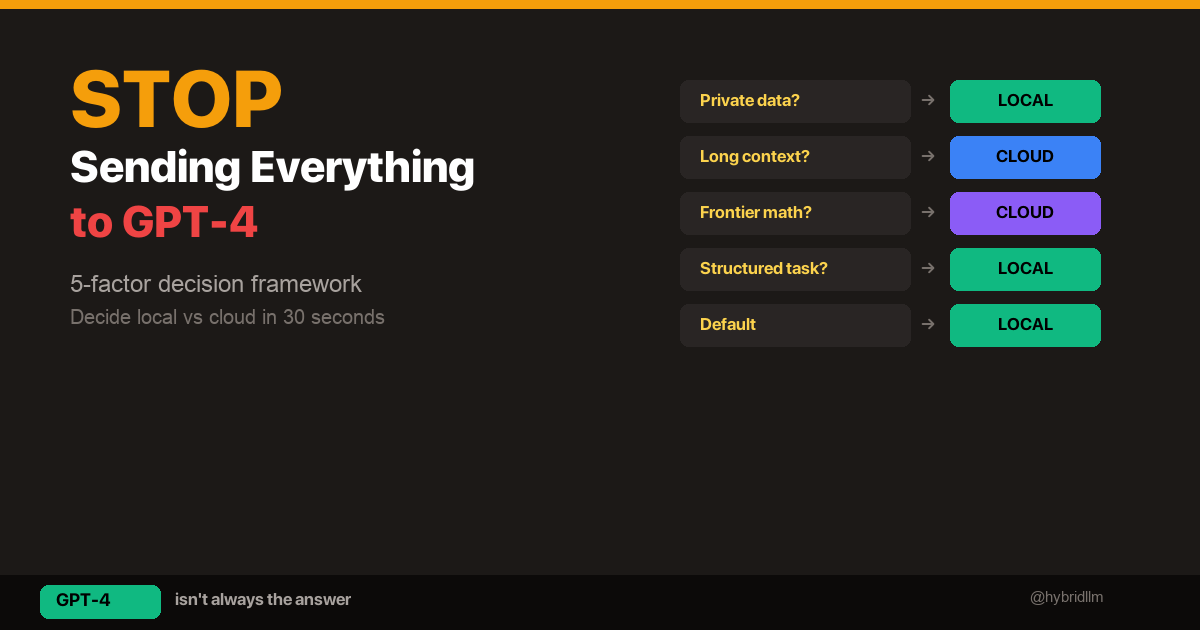
- Local vs Cloud Decision Framework — The 5-factor framework that drives the router’s logic
- GPT-4 vs Local Llama 3.3 — Quality evidence for each tier
Hardware:
- Best Local LLM Models for Mac — Choose the right model for your hardware
- Running Llama 3.3 70B Locally — Set up Tier 2
Follow @hybridllm for implementation patterns, cost reports, and updates as new models change the routing math.