Stop Sending Everything to GPT-4: A 5-Factor Framework for Local vs Cloud LLMs
“Should I use a local model or a cloud API?”
Every developer building with LLMs hits this question. The internet gives you two camps: local-only evangelists who think cloud APIs are a scam, and cloud-first developers who think local models are toys.
Both are wrong. The right answer depends on the specific task, your hardware, your privacy requirements, and how much you’re willing to spend.
This guide gives you a concrete decision framework — not opinions, but a checklist you can apply to any AI task in under 30 seconds.
Key Takeaways
- There is no universal winner. Local and cloud each have clear strengths. The best teams use both.
- Five factors decide the routing: privacy requirements, quality threshold, context length, latency needs, and cost tolerance.
- Use the 30-second checklist in this article before every new AI integration. It prevents both overspending on cloud and underdelivering with local.
- The default should be local. Start with a local model; escalate to cloud only when local demonstrably falls short.
- Revisit quarterly. Local models improve fast. Tasks that needed cloud 6 months ago may run fine locally today.
Who This Framework Is For
This is for developers who:
- Are integrating LLMs into products or workflows and need to choose an approach per feature
- Already have basic familiarity with both local tools (Ollama, LM Studio) and cloud APIs (OpenAI, Anthropic)
- Want a repeatable process — not gut feeling — for deciding where each task runs
If you haven’t set up a local model yet, start with the Complete Beginner’s Guide first.
The Five Decision Factors
Every local-vs-cloud decision comes down to five factors. Score each one for your specific task, and the answer becomes obvious.
Factor 1: Privacy
Question: Does this task involve data that cannot leave your machine?
| Scenario | Verdict |
|---|---|
| Proprietary source code | → Local |
| Medical or legal documents | → Local |
| Customer PII | → Local |
| NDA-protected client work | → Local |
| Public documentation or open-source code | → Either |
| Your own blog draft or personal notes | → Either |
If the data is sensitive, the decision is already made. Local models process everything on-device. No data is transmitted, logged, or stored by a third party.
Cloud providers have data handling policies, and some offer zero-retention options. But for regulated industries or paranoid-by-design teams, local removes the question entirely.
Score: If privacy is required → Local. Full stop.
Factor 2: Quality Threshold
Question: What’s the minimum acceptable quality for this task?
Not every task needs frontier-level output. Be honest about what “good enough” means:
| Quality Level | What It Means | Model Tier |
|---|---|---|
| Functional | Output is correct and usable, even if not polished | Local 14B handles this |
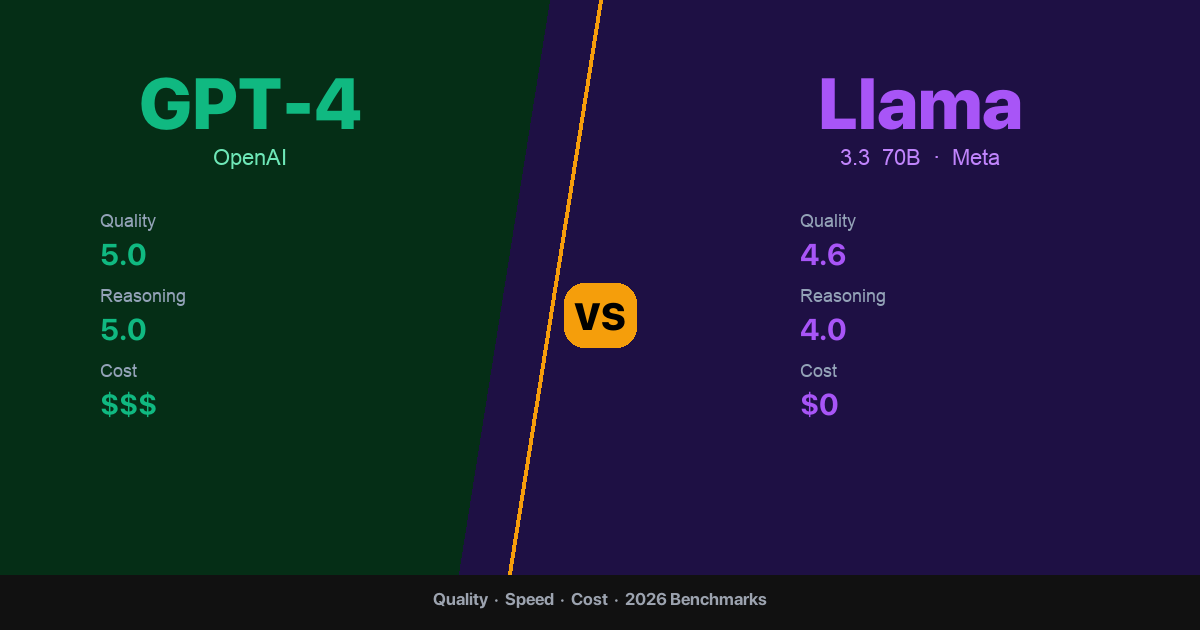
| Professional | Output is clean, well-structured, ready to ship | Local 14B–70B handles this |
| Exceptional | Output requires deep reasoning, nuance, or creativity at the highest level | Cloud often needed |
Most developer tasks — code completion, summarization, formatting, translation, documentation — fall into “Functional” or “Professional.” A Llama 3.3 14B model covers both tiers for these task types.
The “Exceptional” tier matters for: complex architectural analysis, novel problem-solving, long-chain reasoning, and tasks where a subtle error has serious consequences.
Score: Functional/Professional → Local. Exceptional → Cloud (or local 70B first).
Factor 3: Context Length
Question: How much text does the model need to process at once?
This is where cloud APIs have a structural advantage. Cloud models routinely handle 100k–200k token contexts. Local models work best within 4k–8k tokens, and performance degrades as context grows — especially on 64GB or smaller machines.
| Context Size | Local Performance | Cloud Performance | Recommendation |
|---|---|---|---|
| Under 4k tokens | Excellent | Excellent | Local |
| 4k–8k tokens | Good | Excellent | Local (usually) |
| 8k–16k tokens | Acceptable on 64GB+ | Excellent | Depends on task |
| 16k–50k tokens | Slow, quality drops | Good | Cloud |
| 50k+ tokens | Not practical | Good | Cloud |
If your task involves analyzing a full codebase, a 50-page legal document, or a long conversation history — cloud is the better choice today.
Score: Under 8k → Local. Over 16k → Cloud. In between → test both.
Factor 4: Latency
Question: How fast does the response need to be?
This factor is more nuanced than “cloud is faster.”
| Scenario | Local (14B) | Local (70B) | Cloud API |
|---|---|---|---|
| First token latency | ~100–500ms | ~500ms–2s | 200ms–1s (network + queue) |
| Throughput (tok/s) | 13–22 | 8–18 | 30–80 (depends on provider) |
| Consistency | Very stable | Stable | Varies (rate limits, congestion) |
| Availability | 100% (your hardware) | 100% | 99.5–99.9% (outages happen) |
Cloud APIs have higher peak throughput but are subject to rate limits, queue times, and occasional outages. Local models are slower per-token but perfectly consistent and always available.
These ranges assume a nearby data center and no heavy queueing; real-world cloud latency can be lower or higher depending on region, provider load, and rate-limit tier.
For user-facing features where perceived speed matters, cloud often wins on throughput. For background processing, batch jobs, and developer tooling, local’s consistency is an advantage.
Score: User-facing, speed-critical → Cloud. Background/batch → Local. Developer tooling → Local.
Factor 5: Cost
Question: What’s this task worth in API spend?
| Monthly Volume | Cloud Cost (GPT-4 Turbo) | Local Cost | Break-Even |
|---|---|---|---|
| 1M tokens | $20 | $0 | Local wins immediately |
| 5M tokens | $100 | $0 | Local wins immediately |
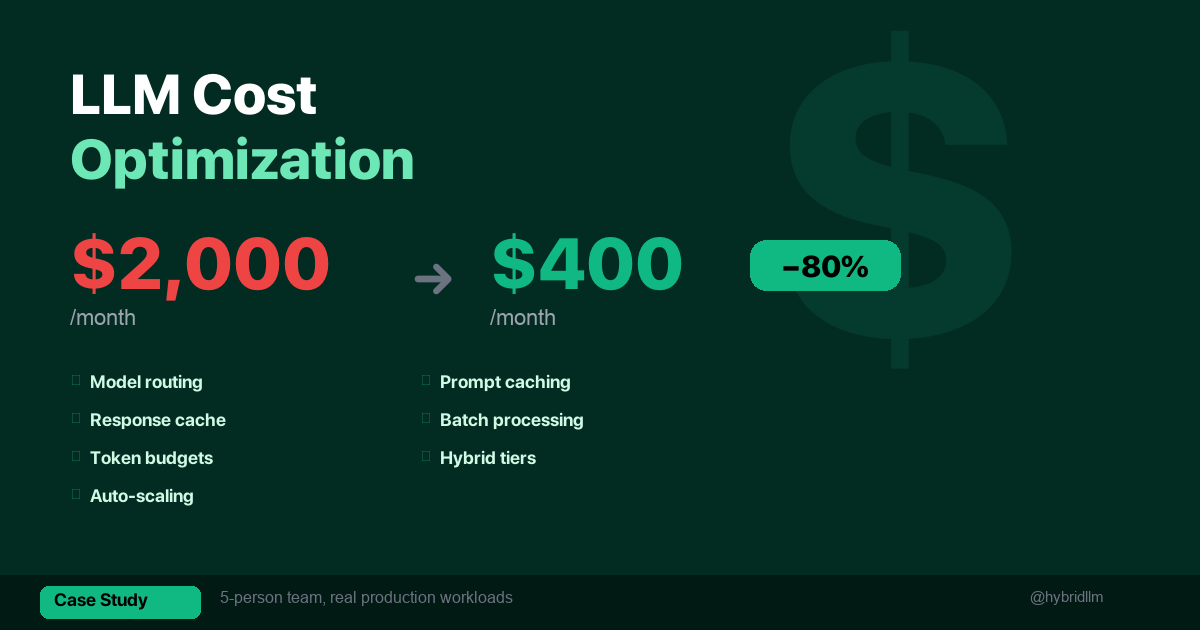
| 15M tokens | $300–600 | $0 | Local wins immediately |
| 50M tokens | $1,000–2,000 | $0 | Local wins immediately |
For recurring tasks, local always wins on marginal cost. The only cost consideration for local is hardware — but if you already own a Mac with 16GB+ RAM, you already have everything you need.
Cloud makes financial sense for: low-volume tasks where setup overhead isn’t justified, or tasks that genuinely require frontier quality where the alternative is a bad output. For one-off or low-volume tasks (under 100k tokens/month), cloud is perfectly fine even if local could handle it — the setup overhead outweighs the savings.
Score: High volume → Local. Low volume + high quality requirement → Cloud is acceptable.
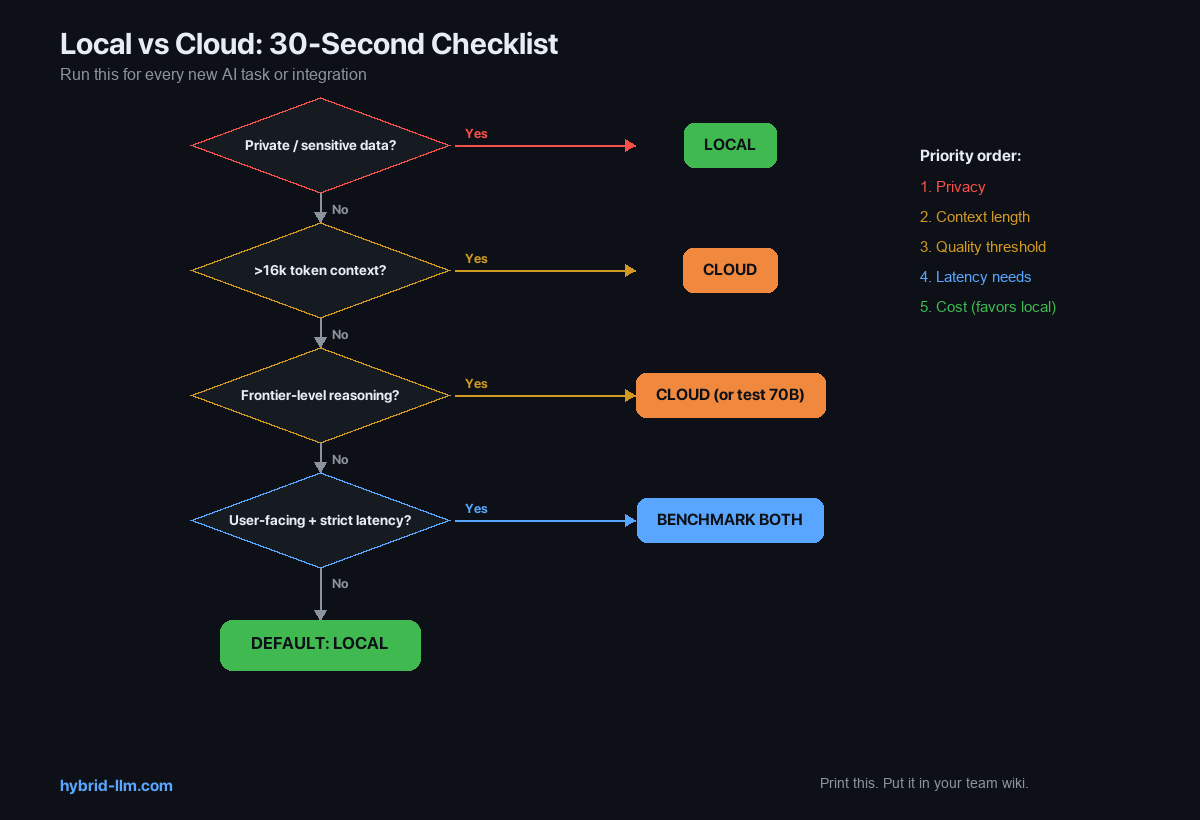
The 30-Second Decision Checklist
Run through this for every new AI task or integration:
1. Does this task involve private/sensitive data?
   → Yes: LOCAL (non-negotiable)
   → No: continue

2. Does this task require >16k token context?
   → Yes: CLOUD
   → No: continue

3. Does this task require frontier-level reasoning?
   → Yes: CLOUD (or test 70B first)
   → No: continue

4. Is this user-facing with strict latency requirements?
   → Yes: Test both, benchmark, decide
   → No: LOCAL

5. Default: LOCAL
The checklist is ordered by importance. Privacy overrides everything. Context length is a hard technical limit. Quality threshold and latency are judgment calls. Cost favors local by default.
Print this checklist. Put it in your team’s engineering wiki. Reference it in code review when someone adds a new LLM integration.
Decision Matrix: Common Developer Tasks
Here’s the checklist applied to tasks developers actually do:
| Task | Privacy Concern | Quality Needed | Context | Recommended Tier |
|---|---|---|---|---|
| Code completion (IDE) | Often (proprietary code) | Functional | Short | Local 14B |
| PR description from diff | Often | Functional | Short-Medium | Local 14B |
| Summarize meeting notes | Sometimes | Professional | Medium | Local 14B |
| Code review | Often | Professional | Medium | Local 14B–70B |
| Translate documentation | Rarely | Professional | Medium | Local 14B |
| Debug complex issue | Sometimes | Exceptional | Varies | Local 70B → Cloud fallback |
| Analyze full codebase | Often | Exceptional | Long | Cloud (context) |
| Write technical RFC | Rarely | Exceptional | Medium | Local 70B or Cloud |
| Generate test cases | Often | Functional | Short | Local 14B |
| Customer support draft | Sometimes (PII) | Professional | Short | Local 14B |
| Architectural design | Rarely | Exceptional | Medium | Local 70B or Cloud |
| JSON/CSV formatting | Never | Functional | Short | Local 14B |
| Regex generation | Never | Functional | Short | Local 14B |
Count the “Local” entries: 10 out of 13. The pattern is clear — most day-to-day developer tasks don’t need a frontier model.
The “Test Both” Protocol
For tasks in the gray zone — where you’re not sure if local is good enough — use this protocol:
Step 1: Run 10 Examples on Both
Pick 10 representative inputs for the task. Run each through your local model and your cloud model. Save both outputs.
Step 2: Blind Evaluation
Without looking at which output came from which model, rate each on a 1–5 scale for:
- Correctness
- Completeness
- Usefulness
Step 3: Compare Scores
| Result | Action |
|---|---|
| Local scores within 0.5 points of cloud on average | Use local — the gap isn’t worth the cost |
| Local scores 0.5–1.0 points lower | Use local 70B, or optimize your prompt for local |
| Local scores >1.0 points lower | Use cloud for this task |
This takes 30–60 minutes per task type. Do it once and you’ll have a confident answer for months — until the next model release, when it’s worth retesting.
When to Revisit Your Decisions
Local models are improving fast. A task that needed cloud in January might run fine locally by July. Set a quarterly review:
Quarterly Review Checklist
- Are there new open-source models since your last review? (Check Hugging Face trending)
- Has your hardware changed? (RAM upgrade, new Mac)
- Have any cloud-only tasks become local candidates?
- Has your task volume changed? (Higher volume = stronger local case)
- Are your cloud costs trending up or down?
Key Moments to Re-Evaluate
- New major model release (Llama 4, Qwen 3, etc.) — test your Tier 3 tasks on the new local model
- Hardware upgrade — more RAM opens larger models
- Cloud pricing change — price increases push more tasks to local
- New task type — always run the 30-second checklist for new integrations
Common Mistakes
Mistake 1: “Cloud for everything because it’s easier”
This is the most expensive mistake. Setting up Ollama takes 2 minutes. Once running, the API is OpenAI-compatible — your existing code works with a base_url swap. The setup cost is near zero.
Mistake 2: “Local for everything because it’s free”
Free isn’t worth it if the output quality is unacceptable. Some tasks genuinely need frontier models. Forcing a 14B model to do PhD-level reasoning wastes your time and produces bad results.
Mistake 3: “I tested it once and local wasn’t good enough”
Which model? Which quantization? Which prompt? Local model quality varies enormously across these variables. Before dismissing local, test at least:
- Two different models (e.g., Llama 3.3 14B and Qwen 2.5 14B)
- Q4_K_M and Q5_K_M quantizations
- A prompt optimized for direct instruction (not the same prompt you’d use with GPT-4)
Mistake 4: “We’ll move to local later when it’s better”
Local is already good enough for most tasks. Waiting means paying cloud prices for tasks that could run for free today. Start routing the easy wins now.
What’s Next
Put the framework into practice:
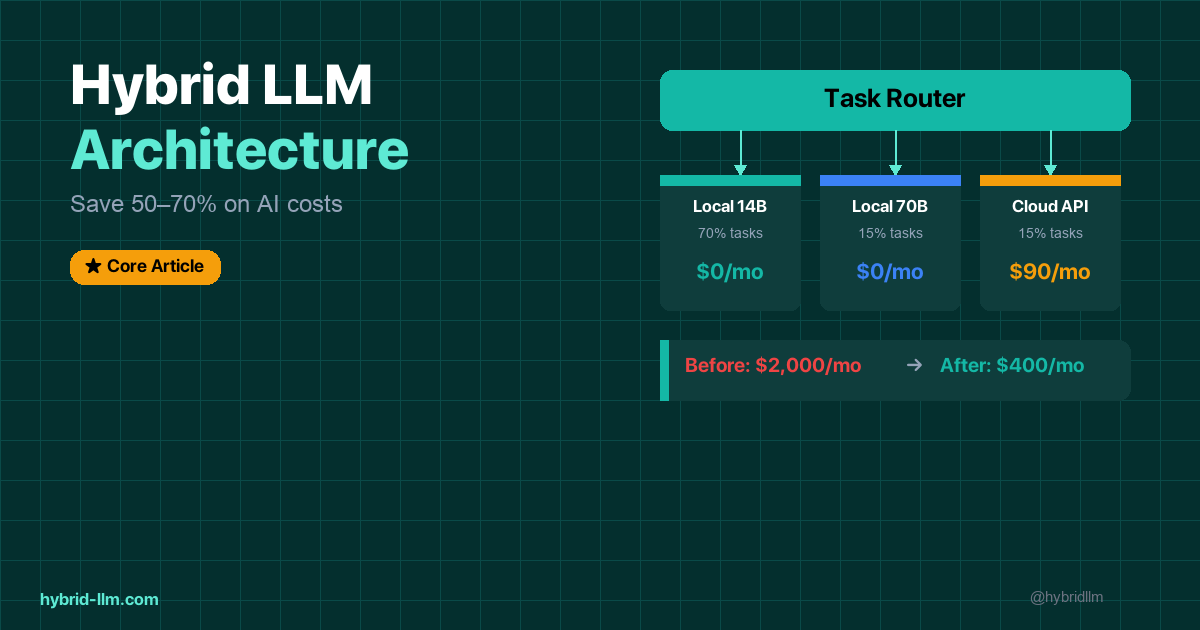
- Hybrid LLM Architecture — Full implementation guide with Python router code
- LM Studio Setup Guide 2026 — Get your local environment running in 5 minutes
- Ollama vs LM Studio — Choose the right local tool for your workflow
- Best Local LLM Models for Mac — Find the optimal model for your hardware
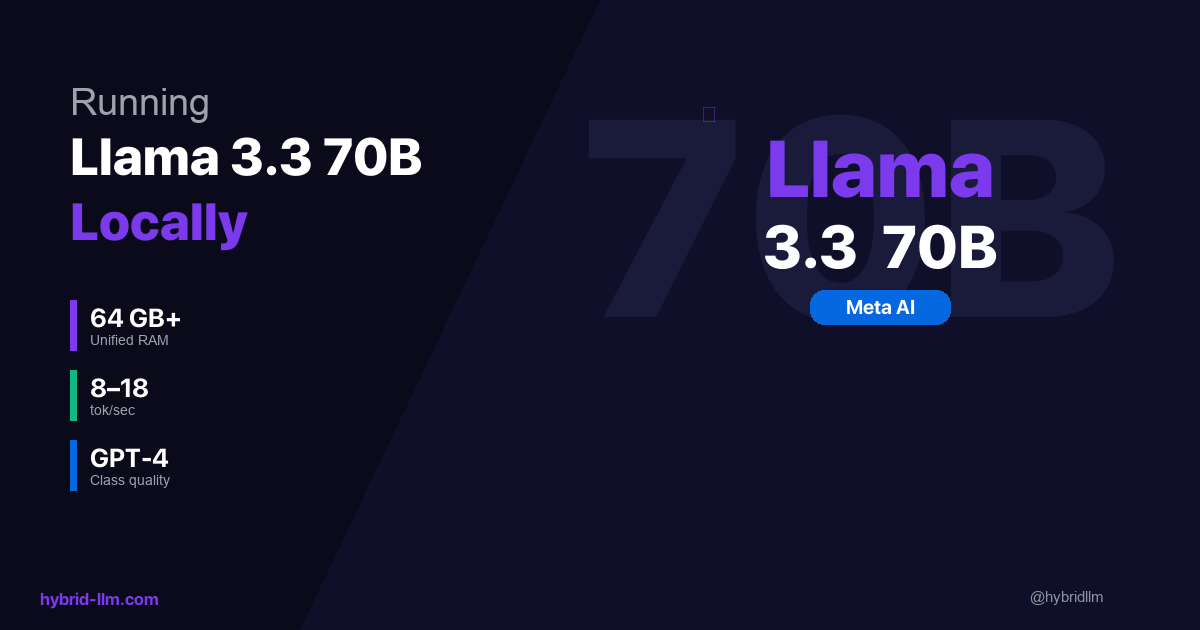
- Running Llama 3.3 70B Locally — Set up your Tier 2 model
- Complete Beginner’s Guide to Local LLMs — Start here if you’re new
Follow @hybridllm for decision frameworks, cost optimization tips, and model release analysis.