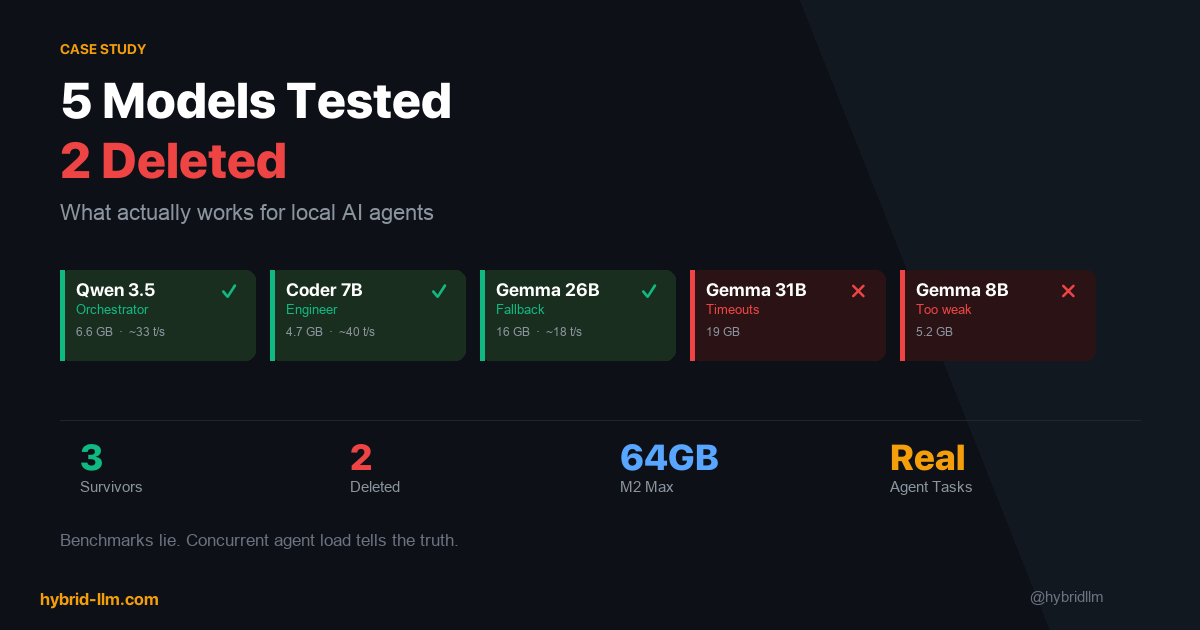

5 Models Tested, 2 Deleted: What Actually Works for Local AI Agents on M2 Max
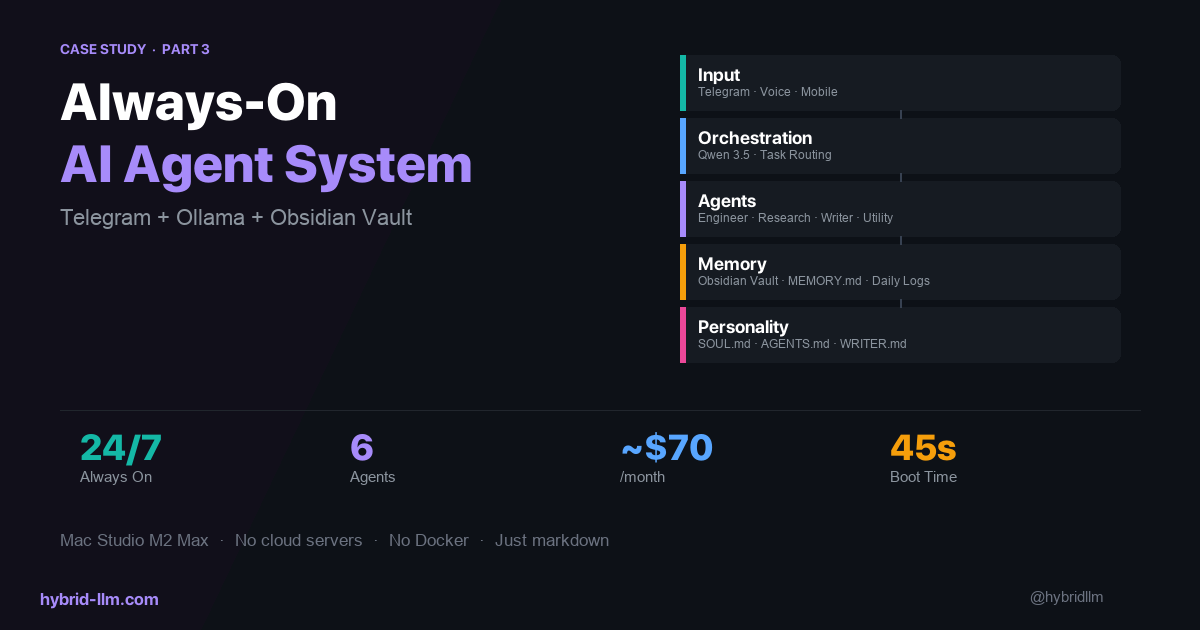
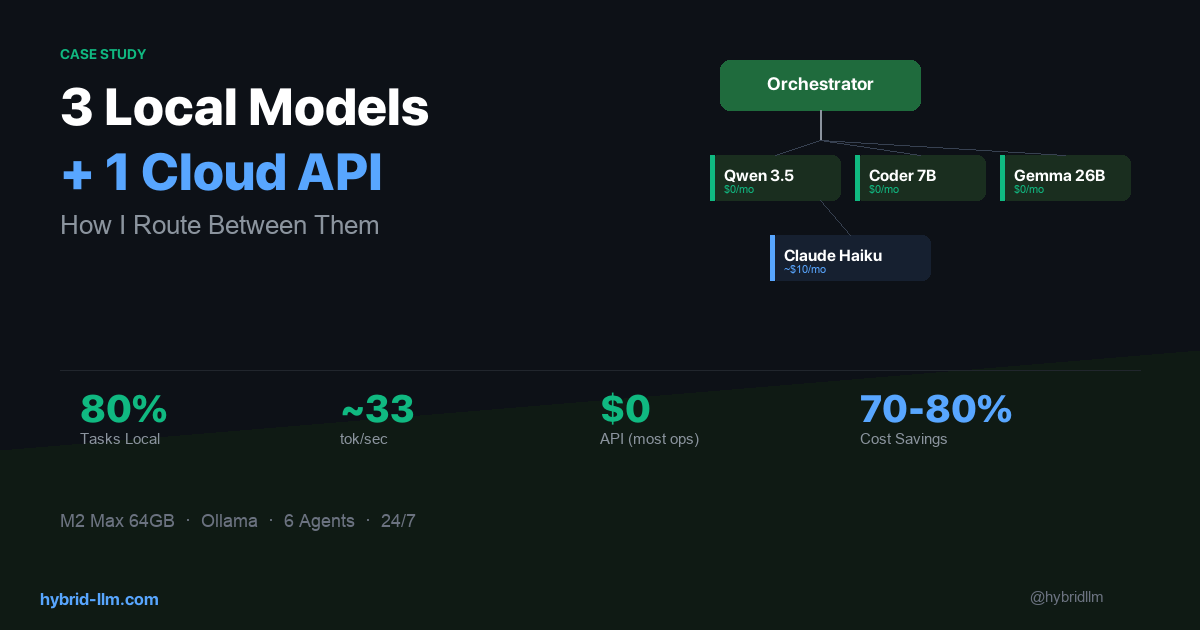
In the previous article, I showed how I route tasks across 3 local models and 1 cloud API. What I didn’t explain was how I chose those 3 models — or more importantly, why the other 2 didn’t survive.
This is the article I wish someone had written before I started. Leaderboard rankings, parameter counts, and benchmark scores are almost useless for predicting whether a model will work as an AI agent. The things that actually matter — tool calling reliability, behavior under concurrent load, recovery from malformed output — don’t show up on any eval.
I tested 5 models over several weeks on my Mac Studio (M2 Max, 64GB). This isn’t a general benchmark — it’s a case study for multi-agent setups. Here’s what I found.
Key Takeaways
- Benchmark scores predict single-turn chat quality. They don’t predict agent reliability. A model that scores well on HumanEval can still fail silently at tool calling.
- The best model on paper can be the worst model in practice if it’s too slow for your memory budget or too large for concurrent loading.
- Specialized models beat general models for specific roles — but only if they actually support the capabilities that role requires.
- “Delete and move on” is a valid optimization strategy. Spending days tuning a model that fundamentally doesn’t fit is worse than switching.
- Three survivors out of five is a good ratio. If every model you try works perfectly, you’re probably not testing hard enough.
The Testing Method
I didn’t run academic benchmarks. Instead, I tested each model against the actual tasks my agents perform daily:
| Test | What It Measures | Pass Criteria |
|---|---|---|
| Task routing (50 prompts) | Can it classify user intent and pick the right agent? | >90% correct routing |
| Tool calling (20 scenarios) | Can it generate valid function calls with correct parameters? | >85% valid calls |
| Code generation (15 tasks) | Can it produce working code for file ops, API calls, data transforms? | Code runs without modification |
| Long-form writing (5 prompts) | Can it produce coherent 500+ word content? | Readable without major editing |
| Concurrent load (3 agents) | Does it degrade when sharing memory with other models? | No timeouts under 30s |
| Recovery (10 malformed inputs) | Can it handle bad input gracefully instead of hallucinating? | No infinite loops or gibberish |
Every test was run through Ollama on my M2 Max with realistic memory pressure — meaning other models were loaded simultaneously, just like in production.
Each percentage below comes from a single sample run at the sizes listed above; treat them as directional indicators for my workload, not as lab-grade benchmarks. Your results will vary by task distribution and hardware.
The 5 Contenders
Here’s what I evaluated, in the order I tested them:
| Model | Parameters | Disk Size | Memory Footprint | Initial Role |
|---|---|---|---|---|
| Qwen 3.5 | ~8B (MoE) | 5.6 GB | ~6.6 GB | Orchestrator / general |
| Qwen 2.5 Coder 7B | 7B | 4.4 GB | ~4.7 GB | Engineer |
| Gemma 4 26B | 26B | 15 GB | ~16 GB | Research / writing fallback |
| Gemma 4 31B | 31B | 18 GB | ~19 GB | Research / writing primary |
| Gemma 4 8B | 8B | 4.9 GB | ~5.2 GB | Lightweight fallback |
I chose these based on what was available through Ollama with good Apple Silicon support, focusing on models that could realistically coexist in 64GB of unified memory.
Survivor #1: Qwen 3.5 — The Workhorse
Role: Primary model for Chat, Orchestrator, Utility agents. Fallback for Research and Writer.
What sold me:
Qwen 3.5 is the model I almost didn’t test. At roughly 8B parameters (mixture-of-experts architecture), I assumed it would be too small for orchestration. I was wrong.
For task routing — parsing a user’s message and deciding which specialist agent should handle it — Qwen 3.5 hit 94% accuracy across my 50-prompt test set. That’s better than Gemma 4 26B on the same test, at one-third the memory cost and 2x the speed.
| Metric | Result |
|---|---|
| Task routing accuracy | 94% (47/50) |
| Tool calling success | 91% (valid calls) |
| Generation speed | ~33 tokens/sec |
| Memory usage | ~6.6 GB |
| Concurrent stability | No timeouts with 2 other models loaded |
The /think prefix trick: Qwen 3.5 supports an optional thinking mode activated by prefixing your prompt with /think. I use this selectively — it’s turned OFF for the orchestrator (where speed matters) and turned ON when Qwen 3.5 serves as a fallback for the research agent (where depth matters). Same model, two behavior modes, zero extra memory.
Limitations I accept: Long-form writing quality is noticeably below Claude Haiku. Qwen 3.5 can write coherent paragraphs, but they tend toward generic phrasing and lack the nuance I want for published content. That’s fine — writing isn’t its job.
Survivor #2: Qwen 2.5 Coder 7B — The Specialist
Role: Primary model for Engineer agent only.
What sold me:
For pure code generation, this 7B model consistently outperformed Qwen 3.5 (a larger model) on my coding tasks. It understands file operations, API patterns, and data transforms at a level that surprised me for its size.
| Metric | Result |
|---|---|
| Code generation (runs without edits) | 80% (12/15) |
| Generation speed | ~40 tokens/sec |
| Memory usage | ~4.7 GB |
| Boilerplate/repetitive code | Near-perfect |
At 4.7GB, it’s the lightest model in my stack. It loads fast, generates fast, and stays out of the way of the heavier models.
The critical limitation: As of Q2 2026, Qwen 2.5 Coder 7B does not support tool calling. It can write code that calls tools, but it cannot be an agent that invokes tools itself. This distinction cost me two days of debugging.
When I assigned it to a general agent role that required reading files and executing shell commands via tool calls, it would generate output that looked like valid tool invocation syntax — correct JSON structure, reasonable parameter names — but the calls never actually executed. The model was hallucinating tool usage rather than performing it.
How I discovered the problem: The agent would report “I’ve read the file and here’s what I found…” without ever actually reading the file. The content it described was plausible but fabricated. It took me two days to realize the tool calls were decorative, not functional.
My rule now: Before assigning any model to an agent role, I run a dedicated tool calling test — not a code generation test. They measure completely different things, and model cards rarely distinguish between them. (This limitation may change in future Qwen releases — always verify against the version you’re actually running.)
Survivor #3: Gemma 4 26B — The Safety Net
Role: Universal fallback for all local agents.
What sold me:
Gemma 4 26B isn’t the best at anything in my stack, but it’s good enough at everything. That’s exactly what a fallback model needs to be.
| Metric | Result |
|---|---|
| Task routing accuracy | 88% (44/50) |
| Tool calling success | 87% |
| Code generation | 73% (11/15) |
| Long-form writing | Adequate (readable, not polished) |
| Memory usage | ~16 GB |
| Generation speed | ~18 tokens/sec |
At 16GB, it’s the heaviest model in my local stack. But on a 64GB machine with Qwen 3.5 (6.6GB) and Coder 7B (4.7GB) already loaded, there’s still ~37GB free — plenty of headroom for the OS, editor, and browser.
Why not make it primary instead of fallback? Speed. At ~18 tokens/sec, it’s roughly half the speed of Qwen 3.5. For the orchestrator — where every request needs sub-second classification — that difference is felt immediately. As a fallback that only activates when the primary is busy, the slower speed is acceptable because it’s better than waiting in a queue.
The reliable generalist: When the orchestrator is processing a long task and a new Telegram message arrives, Gemma 4 26B picks up the chat response within 2 seconds instead of making the user wait 30+ seconds. That reliability is worth the 16GB of memory it occupies.
Casualty #1: Gemma 4 31B — Death by Timeout
Intended role: Primary model for Research and Writer agents (before I moved them to Claude Haiku).
What went wrong:
Gemma 4 31B at ~19GB memory footprint technically fits alongside Qwen 3.5 and Coder 7B (total ~30.3GB in a 64GB machine). On paper, the math works. In practice, it didn’t.
The problem was generation speed under concurrent load. When all three models were loaded and two agents were active simultaneously, Gemma 4 31B’s response time would spike unpredictably — sometimes 5 seconds, sometimes 90 seconds. There was no consistent pattern.
| Metric | Result |
|---|---|
| Task routing accuracy | 90% |
| Generation speed (solo) | ~14 tokens/sec |
| Generation speed (concurrent) | ~4–14 tokens/sec (wildly variable) |
| Timeout rate (concurrent) | ~25% of requests exceeded 30s |
| Memory usage | ~19 GB |
The timeout rate was the killer. In a multi-agent system, a 25% timeout rate on one model means roughly 1 in 4 tasks gets delayed — and those delays cascade. The orchestrator waits for the research agent. The writer waits for the orchestrator. The user stares at a spinning indicator.
Why I didn’t try to fix it: I could have increased the timeout threshold, reduced concurrent agent count, or experimented with quantization. But the fundamental issue was that 31B parameters on Apple Silicon unified memory, sharing bandwidth with two other models, doesn’t have enough throughput margin. The 26B version — just 5B parameters smaller — ran at nearly 2x the speed under the same conditions. The small quality improvement from 26B→31B wasn’t worth the massive reliability cost.
Deleted after 3 days.
Casualty #2: Gemma 4 8B — Not Bad Enough to Notice, Not Good Enough to Keep
Intended role: Lightweight fallback model (replacing Gemma 4 26B to save memory).
What went wrong:
My reasoning was: “If the fallback only handles overflow tasks, maybe it doesn’t need to be 26B. An 8B model at 5.2GB would free up 11GB of memory for other uses.”
The problem wasn’t catastrophic failure — it was subtle, persistent quality degradation.
| Metric | Gemma 4 8B | Qwen 3.5 (for comparison) |
|---|---|---|
| Task routing accuracy | 78% | 94% |
| Tool calling success | 72% | 91% |
| Code generation | 53% (8/15) | 73% |
| Generation speed | ~35 tokens/sec | ~33 tokens/sec |
| Memory usage | ~5.2 GB | ~6.6 GB |
Look at those numbers. Gemma 4 8B is barely faster than Qwen 3.5 — but dramatically worse at every quality metric. At similar parameter counts, architecture and training data matter more than raw size. Qwen 3.5’s MoE architecture gives it a significant edge over Gemma 4’s dense 8B.
The real problem was that the fallback was getting triggered for the hardest tasks — the ones where the primary model was already busy with something complex. Sending those overflow tasks to a weaker model meant more failures, more retries, and worse net throughput than just waiting for the primary to finish.
Lesson learned: On my workload, a fallback model needs to be good enough that you trust its output without review. If your fallback produces work that needs to be redone, you haven’t saved any time — you’ve doubled it. Gemma 4 8B may perform differently on simpler agent tasks — but for the mix of routing, tool calling, and code generation my system demands, it wasn’t enough.
Deleted after 1 day.
The Selection Framework
After testing all five models, I distilled the selection process into a decision framework that applies beyond my specific setup:
Step 1: Define the Role, Not the Model
Before looking at any model, write down exactly what the agent needs to do:
- What inputs does it receive?
- What output does it produce?
- Who or what consumes that output?
- Does it need tool calling?
- Does it need long-context handling?
- What’s the acceptable latency?
Step 2: Test for the Role, Not for Benchmarks
Run your actual workload, not HumanEval or MMLU. The metrics that matter for agents are (see the test table above for how I measured each):
| Metric | Why It Matters |
|---|---|
| Tool calling reliability | Can it actually invoke external functions? |
| Output format consistency | Does it return valid JSON/structured output reliably? |
| Speed under concurrent load | How fast is it when sharing memory with other models? |
| Failure recovery | Does it gracefully handle malformed input or errors? |
| Memory stability | Does it cause OOM or swap when loaded alongside others? |
Step 3: Test in Production Conditions
Solo performance means nothing. Your model will share memory with other models, compete for memory bandwidth, and handle requests while the OS, Ollama, and your applications all fight for resources.
Load all your candidate models simultaneously and test under realistic concurrent agent traffic.
Step 4: Delete Aggressively
If a model doesn’t clearly earn its memory footprint within 48 hours of testing, delete it. The cost of keeping a mediocre model loaded is:
- Memory that could go to a better model
- Complexity in your routing logic
- Potential reliability issues you haven’t discovered yet
What Leaderboards Miss
Here’s a concrete example of why I stopped trusting leaderboard rankings for agent selection.
On standard coding benchmarks, Gemma 4 31B outscores Gemma 4 26B by a meaningful margin. You’d expect the 31B to be the obvious choice for any coding-related agent task.
But in my multi-agent system:
- Gemma 4 31B had a 25% timeout rate under concurrent load
- Gemma 4 26B had a 0% timeout rate under the same conditions
- The quality difference on my actual tasks was marginal
- The reliability difference was catastrophic
Leaderboards measure ceiling performance in isolation. Agent workloads require floor performance under pressure.
If I had chosen models based solely on leaderboard rankings, I’d be running Gemma 4 31B as my primary and wondering why my system was unreliable. Instead, I’m running Gemma 4 26B as a fallback and it hasn’t failed once.
Quick Reference: My Final Stack
| Model | Role | Memory | Speed | Verdict |
|---|---|---|---|---|
| Qwen 3.5 | Primary (4 agents) | 6.6 GB | ~33 tok/s | ✅ Best balance of speed, quality, and memory |
| Qwen 2.5 Coder 7B | Engineer only | 4.7 GB | ~40 tok/s | ✅ Excellent for code, but NO tool calling |
| Gemma 4 26B | Universal fallback | 16 GB | ~18 tok/s | ✅ Good enough at everything |
| Gemma 4 31B | — | 19 GB | ~4-14 tok/s* | ❌ Timeout cascades under load |
| Gemma 4 8B | — | 5.2 GB | ~35 tok/s | ❌ Too weak for fallback duties |
*Speed under concurrent load with other models.
Recommendations by Hardware Tier
Not everyone has 64GB. Here’s how I’d adjust the model selection by available memory:
24GB (Mac Mini M2 / MacBook Pro M2 Pro)
Run two models:
- Qwen 3.5 (6.6GB) — orchestrator, chat, utility
- Qwen 2.5 Coder 7B (4.7GB) — engineer
Total: ~11.3GB. Use Claude Haiku (cloud) as the fallback and for research/writing. This is actually a very clean setup — you just lean harder on the cloud for quality-critical tasks.
32GB (MacBook Pro M2 Pro / Mac Mini M2 Pro)
Run two models with a dedicated fallback:
- Qwen 3.5 (6.6GB) — primary for most agents
- Gemma 4 26B (16GB) — fallback + research/writing attempts
Total: ~22.6GB. This is workable but tight — expect occasional slowdowns if you run heavy IDEs or browsers alongside. Skip the dedicated coder model and use Qwen 3.5 for code tasks (it’s decent, just not specialized).
64GB (Mac Studio M2 Max / Mac Pro)
Run the full three-model stack as described in this article. You’ll have ~37GB free for everything else.
128GB+ (Mac Studio M2 Ultra / Mac Pro)
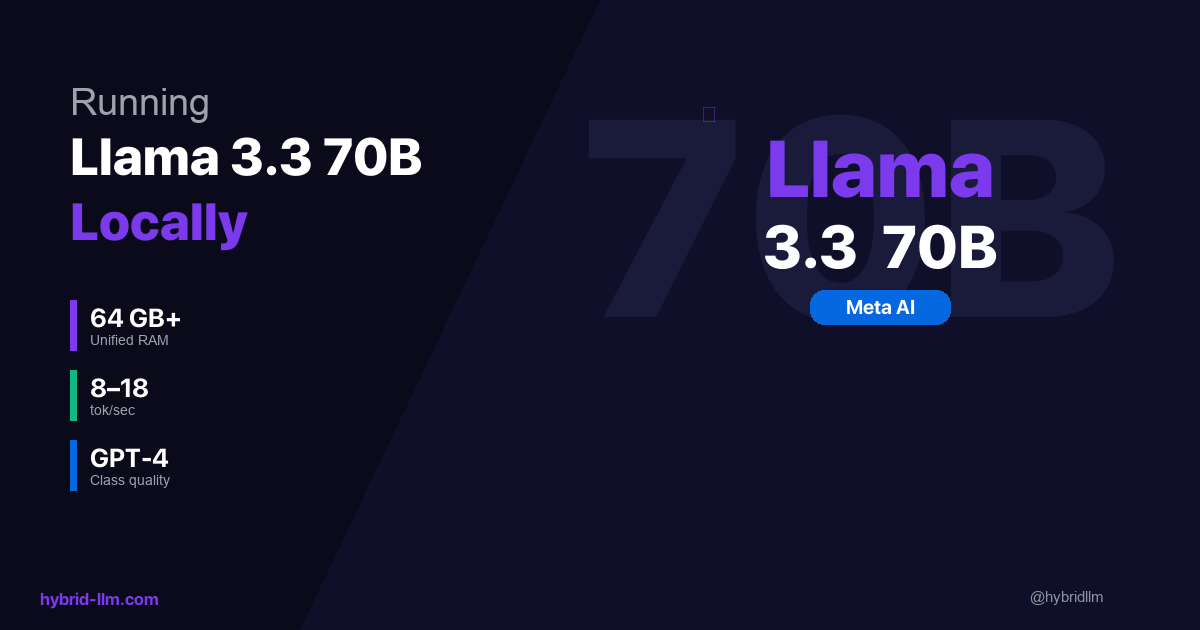
Add a 70B model as a Tier 2 local option, potentially replacing the cloud API for research tasks entirely. I haven’t tested this personally, but the memory math works.
What’s Next
The next article covered the routing layer — how tasks flow between agents. The final article in this series will show the complete system: how agents use a persistent knowledge base, how mobile input flows through Telegram to the orchestrator, and what it looks like to run an always-on AI system as a daily workflow.
Further Reading
- I Run 3 Local Models and 1 Cloud API — Here’s How I Route Between Them — The routing decisions this model selection enables
- Best Local LLM Models for M2/M3/M4 Mac — Broader hardware benchmarks beyond agent workloads
- Ollama vs LM Studio — Why I chose Ollama as the model runtime
- Running Llama 3.3 70B Locally — What 70B looks like on Apple Silicon
- Hybrid LLM Architecture — The cost framework that drives these model choices